How to Get Started With Clay for Your Sales Team
How to use Clay for sales: a practical first-week setup — workspace, first table, waterfall enrichment, CRM push — plus credit costs and the mistakes to avoid.
Quick answer
- Time to first working table
- 2–5 focused days for a sourced, enriched, verified, CRM-synced list
- Starting cost
- Free plan covers the pilot (100 data credits/month at the time of writing, per clay.com); paid plans from $167/month
- Prerequisites
- Written ICP, CRM admin access, warmed sending domains, one named owner
- First workflow to build
- ICP account list → contact finding → email waterfall → verification → CRM push
To get started with Clay for sales, you need four things before you touch the tool: a written ICP, admin access to your CRM, working sending infrastructure, and one named owner. With those in place, a sales team can go from empty workspace to a first enriched, CRM-synced prospect list inside a week on the free plan — and that first week is what this guide walks through, column by column.
The order matters more than the tooling. Most failed Clay adoptions we see skipped straight to enrichment credits and AI columns before deciding who they sell to and where the data should land. The result is an impressive table that nobody uses, cancelled at the first renewal.
This is a practical setup guide for sales teams working out how to use Clay for sales day to day. If you want the wider picture of what the tool is and how it fits a GTM stack, start with our definitive guide to Clay and come back here for the build order.
What Does Clay Actually Do for a Sales Team?
Clay replaces the manual research layer of sales: finding accounts that match your ICP, finding the right people at them, finding and verifying their contact details, and researching enough context to open a conversation properly. Each of those jobs becomes a column in a table that runs automatically on every new row, instead of forty browser tabs per rep per day.
The time being reclaimed is not hypothetical. Salesforce's State of Sales research found sales reps spend less than 30 per cent of their time actually selling, with the rest going to administration, data entry and research. A working Clay table moves the research portion of that overhead into software, which is the entire business case — the tool pays for itself in rep hours or it does not pay for itself at all.
One boundary to set expectations early: Clay prepares conversations, it does not have them. Sending still belongs to your sequencer, closing still belongs to your reps, and the system of record is still the CRM. Our outbound prospecting engine builds wire all three together, with Clay as the data hub in the middle.
What Do You Need Before You Start?
Four prerequisites, and skipping any of them is the most reliable predictor of a stalled rollout we know. None of them involves Clay itself, which is exactly why they get skipped.
The ICP deserves the most care. Write it as filterable facts — industry, headcount band, geography, technology in use, a hiring or funding signal if relevant — because Clay operates on filters, not adjectives. Companies that value quality is not an ICP; SaaS companies, 11–200 staff, hiring their first sales leader is.
- A written, filterable ICP — the table can only be as sharp as this definition.
- CRM admin access — you will need to map fields, set deduplication rules and create a sync user.
- Sending infrastructure that already works — warmed domains and a sequencer, if outbound is the goal.
- A named owner with two to four protected hours a week — shared ownership becomes no ownership.
How Do You Set Up Your First Clay Table?
Build one table, in this order, and resist every temptation to add clever columns until the boring ones work end to end. The pilot goal is 200–300 accounts flowing from source to CRM with verified emails — not a showcase.
Two build details save days of rework. First, add the verification column before you build anything downstream of email finding, so nothing unverified can ever flow onward. Second, sync to a sandbox or a tagged CRM segment first; untangling a bad first sync from live pipeline data is miserable work, as anyone who has run a CRM automation project will confirm.
- 1. Create a table from a company source — a search matching your ICP filters, or a CSV you already trust.
- 2. Enrich firmographics first (size, description, tech), so you can spot-check that the list matches the ICP before spending further credits.
- 3. Add a contact-finding column for two or three buyer titles per account.
- 4. Waterfall work emails across providers, then verify in a separate column; auto-drop failures.
- 5. Add a simple fit score with a formula column — even three tiers beats none.
- 6. Push qualifying rows to the CRM with explicit field mapping and deduplication rules.
- 7. Only now add an AI research column and personalised opener, reviewed by a human before sending.
How Does Waterfall Enrichment Work in Practice?
A waterfall tries providers in sequence for each row and stops at the first hit, charging credits only for successful results. In practice you order providers by the coverage they historically give your market, which you discover empirically: run 100 rows, check the per-provider hit rates Clay shows you, and reorder.
Expect match rates to vary by market, and treat that as information rather than failure. Well-networked industries in large markets return usable emails for most contacts; niche industries and smaller companies return fewer. If seven in ten target contacts do not come back usable, extend the waterfall or revisit whether the titles you are targeting are the ones providers index well.
Re-enrichment belongs in the plan from day one. HubSpot's database-decay research puts B2B contact decay at roughly 22.5 per cent a year, which means a quarter of the list you build this month degrades within twelve. A monthly refresh on active segments — our standard pattern in enrichment workflow builds — keeps yesterday's credits from becoming this quarter's bounces.
New row (contact)
  ├─ Provider A: hit? ──YES→ verify email ──PASS→ score → CRM
  ├─ Provider B: hit? ──YES→ verify email ──FAIL→ drop row
  ├─ Provider C: hit? ──YES→ (same checks)
  └─ No provider hit → park for manual research or discard
How Do Credits Work, and What Will the First Month Cost?
Clay meters usage in two currencies: data credits, consumed when a provider returns a result, and actions, consumed by workflow operations. At the time of writing, clay.com/pricing lists a free plan with 100 data credits and 500 actions a month, a Launch plan from $167 a month with 3,000 data credits and 15,000 actions, and a Growth plan from $446 a month with 6,000 and 40,000 — with annual billing saving about 10 per cent and top-up data credits carrying a 30 per cent premium.
Model the arithmetic before choosing a tier. If your waterfall averages two data credits per found-and-verified email once misses are counted — a reasonable planning assumption, though your market will set the real number — then 3,000 credits buys roughly 1,500 fresh contacts a month. A two-rep team sending 50 personalised emails a day needs about 2,200 contacts a month, which puts them at the top of Launch. The full plan-by-plan arithmetic lives in our Clay pricing and ROI guide.
| Plan (clay.com, at the time of writing) | Monthly price | Data credits / actions |
|---|---|---|
| Free | $0 | 100 / 500 |
| Launch | from $167 | 3,000 / 15,000 |
| Growth | from $446 | 6,000 / 40,000 |
How Do You Push Data Into the CRM and Sequencer?
The sync is where pilots succeed or die, so design it deliberately. Decide three things in writing before connecting anything: which rows qualify to leave the table (score threshold plus verified email), which fields map where (including a source field marking rows as Clay-originated so you can audit later), and what happens on a duplicate (update, skip, or flag — never blind create).
Sequencer push follows the same discipline with one addition: cap the daily flow. A table that suddenly releases 800 rows into a sequencer will torch sending domains that were warmed for 50 a day. Meter the release, keep the personalised opener attached to the row, and feed replies and bounces back into the table weekly so the score learns. That closed loop — table to sequencer to outcomes to table — is what separates a prospecting system from a list.
Who Should Own Clay on the Team?
Give Clay to one systems-minded person — a sales ops hire if you have one, otherwise the rep or founder who already keeps the spreadsheets everyone else borrows. Ownership means a protected weekly block for reviewing edge cases, hit rates and credit burn, not just being the person who signed up.
What does not work is distributing table-building across every rep. Reps consume the output — clean rows in the CRM, context in the sequencer — and file data problems to the owner. One builder, many consumers is the pattern that survives quarter after quarter; its opposite produces five half-built tables and a renewal debate.
Who Is This Setup For — and When Should You Not Bother?
This setup fits sales teams running outbound as a system: defined ICP, real sending volume (roughly 500-plus new contacts a month), and at least one person with weekly time to own the data layer. It fits founder-led sales too, provided the founder honestly has the weekly hour — the free plan makes the experiment cheap.
Skip Clay, at least for now, if your pipeline is fully inbound; if your total addressable list is a few dozen named accounts you could research by hand in an afternoon; or if nobody on the team will own a workflow. Buying a data workbench without an owner is renting a gym membership for a team that does not train. In that situation, fix the motion first — our guide to what a GTM engineering approach involves is the better starting point than any tool purchase.
What Are the Common First-Month Mistakes?
The first month has a standard set of traps, and every one of them is avoidable with the build order above. These are the five we most often find in workspaces we are asked to rescue.
- 1. Enriching before filtering — burning credits on rows a firmographic check would have discarded for free.
- 2. Sending unverified emails — the bounce spike arrives within days and takes months of domain repair to undo.
- 3. Building three tables at once — one working pipeline beats three impressive fragments.
- 4. Skipping the CRM deduplication rules — the first bad sync poisons trust with the sales team for a long time.
- 5. Judging the pilot in week two — the first fortnight is construction; evaluate at the end of a full month of sends.
PINCLER's Perspective: Build It Yourself or Have It Built?
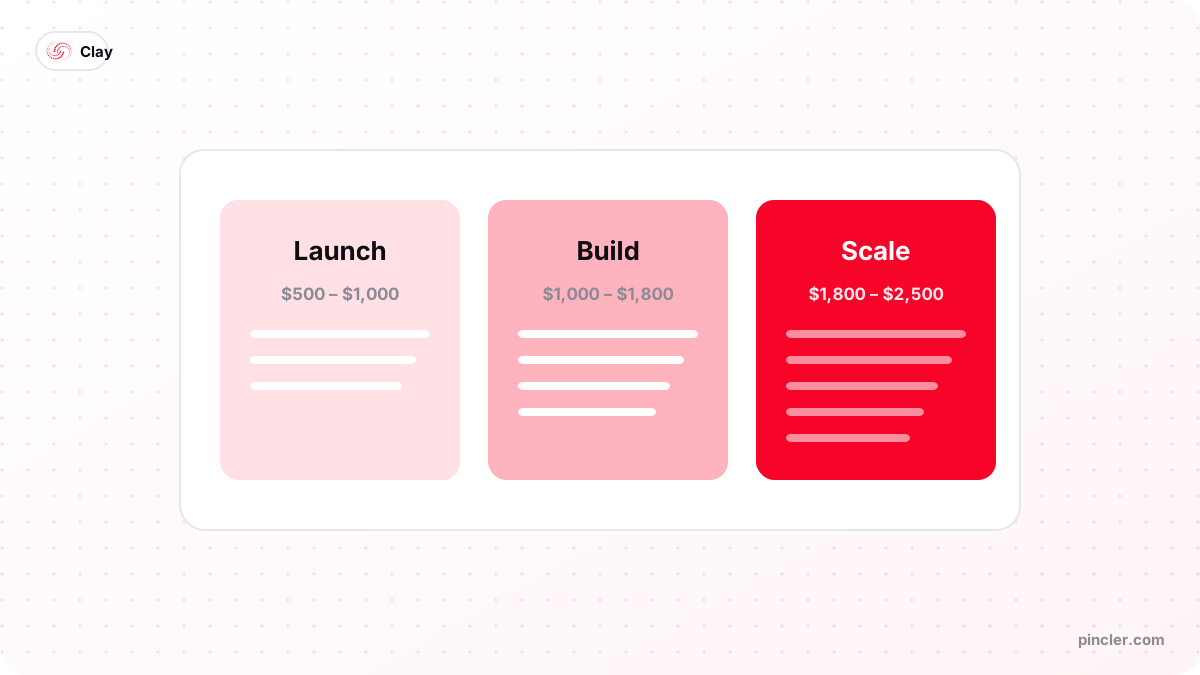
PINCLER is an AI-first custom software development studio, and Clay workflow builds are one of our published categories: across the 79 catalogue builds PINCLER lists prices for, they run $700 to $1,800 fixed price and ship in 5 to 12 days, inside a GTM engineering category whose median is $1,600 and 14 days. The dataset behind those numbers is published at our research page.
Our honest read on DIY versus commissioning: the first table is a genuinely good learning exercise, and a motivated owner gets there in a week on the free plan. Commission the build when the workflow touches live CRM data, when deliverability is on the line, or when the internal attempt has consumed three weeks without shipping — at typical wage costs, three stalled weeks is already more than the fixed price of having the pipeline built, documented and handed over.
Either way, insist on the same deliverable we hold ourselves to: a pipeline that runs without its builder, written field mappings, and a one-page runbook for the weekly maintenance hour. A workflow that lives in one person's head is a resignation letter away from being a blank table.
The Bottom Line
Getting started with Clay for sales is a week of disciplined building: prerequisites, one table, verified emails, a careful CRM sync — then, and only then, the AI research and personalisation that make the demos look good. Teams that follow that order get a compounding prospecting system; teams that reverse it get an expensive spreadsheet.
If you would rather start from a working system, a fixed-price Clay workflow build delivers the whole pipeline in under a fortnight — and if you are still choosing between platforms first, Clay vs Apollo is the comparison most sales teams need.
Related PINCLER builds
Frequently asked
How long does it take a sales team to get value from Clay?
A focused owner gets a first enriched, CRM-synced list inside a week, and a fair evaluation takes a quarter: month one builds the pipeline, month two tunes scoring against real replies, month three produces judgeable numbers. Teams that expect results in the first fortnight usually conclude the tool failed when the process never started.
Can I run a Clay pilot without paying?
Yes. At the time of writing, clay.com lists a free plan with 100 data credits and 500 actions a month, enough to test a waterfall on a hundred contacts and prove the CRM sync works. Run the pilot free, measure your real credits-per-contact figure, and size a paid tier from that number rather than guessing.
Does Clay replace my CRM or sequencer?
No — Clay sits between them. It builds and enriches records, then pushes them to the CRM as the system of record and to the sequencer for sending. Nothing about your existing HubSpot, Salesforce, Instantly or Smartlead setup gets replaced; what changes is the quality and freshness of the data flowing into them.
How many data credits does a small sales team actually need?
Work backwards from sending volume. Two reps sending 50 personalised emails a day need roughly 2,200 new contacts a month; at a planning assumption of two data credits per found-and-verified email, that is about 4,400 credits — between the Launch and Growth tiers listed on clay.com at the time of writing. Your waterfall's real hit rate will move this, so pilot first.
What should the Clay owner review in the weekly maintenance hour?
Four things: per-provider hit rates (reorder the waterfall when they drift), verification failure spikes (a provider gone stale), credit burn against budget, and rows parked in edge-case states. Half the hour goes to that review, half to one small improvement — a tightened score threshold or a sharper research prompt. Skip four weeks in a row and the table starts lying quietly.
Is it worth paying someone to set up Clay for a sales team?
It depends on stakes and time. Across the 79 catalogue builds PINCLER lists prices for, a Clay workflow build costs $700–$1,800 fixed and ships in 5–12 days, including CRM sync and a handover runbook — AI drafts the workflow and sync code, senior engineers review and test it before handover. If your owner has spare weekly hours and low deliverability risk, DIY is fine; affordable custom software development makes sense once live pipeline data or sending domains are on the line.
Sources
Want to build this?
PINCLER builds custom software, AI agents and GTM systems for a fixed price between $500 and $2,500, delivered in 3–30 days, with the code owned by you.
Keep reading
Related articles
Clay for Marketing and GTM Teams: The Definitive Guide
Clay for marketing and GTM teams, explained end to end: what Clay does, how waterfall enrichment works, what it costs, and the workflows worth building first.
How to Get Started With Clay for a Marketing Team
How to use Clay for marketing: build ICP account lists, enrich and segment them, and feed personalised campaigns — a practical first-month plan for marketers.
Clay for CMOs: 10 Ways to Reduce Marketing Costs
Clay for CMOs: ten concrete ways marketing leaders cut data, agency and tooling costs with Clay — with the arithmetic shown and the honest limits stated.