How to Get Started With Clay for a Marketing Team
How to use Clay for marketing: build ICP account lists, enrich and segment them, and feed personalised campaigns — a practical first-month plan for marketers.
Quick answer
- First asset to build
- An enriched, refreshed ICP account list every campaign reads from
- Time to value
- Working account list in week 1–2; first campaign fed by it in week 3–4
- Starting cost
- Free plan for the pilot; paid plans from $167/month at the time of writing, per clay.com
- Core marketing uses
- Segmentation, personalisation, ad audience building, CRM hygiene, intent triggers
A marketing team gets started with Clay by building one asset first: a clean, enriched, continuously refreshed list of accounts that match the ICP. Everything marketers use Clay for — segmentation, personalised campaigns, ad audiences, intent triggers — reads from that one list, so the first month is spent making it trustworthy and the months after are spent spending it.
That framing matters because marketers usually meet Clay through sales-flavoured content, then wonder how it applies when they do not send cold email themselves. The answer is that Clay is a data workbench, not an outbound tool: it turns who do we sell to from a slide into a queryable table, and marketing owns more of the use cases than sales does.
This guide is the marketing-side answer to how to use Clay for marketing in the first month — a week-by-week plan, honest costs, and the places it is not worth the effort. For the full tool overview, our definitive guide to Clay for marketing and GTM teams is the parent read.
What Can a Marketing Team Use Clay For?
Four jobs, in rising order of sophistication: keeping the CRM and campaign lists clean; segmenting accounts by real firmographic and technographic facts rather than form-fill guesses; producing the personalisation attributes that make emails, landing pages and ads specific; and reacting to signals — hiring, funding, technology changes — with triggered campaigns.
Notice what is not on the list: sending anything. Clay prepares data for the channels marketing already runs. The campaign tools stay; what changes is that they stop running on stale, thin records. In stack terms, Clay is the data layer of the GTM engineering model, and marketing is usually its heaviest user.
The budget context makes the case sharper. Gartner's 2025 CMO Spend Survey found marketing budgets flat at 7.7 per cent of company revenue, with half of CMOs reporting 6 per cent or less. Flat budgets reward exactly what Clay does well: making existing channels perform better through sharper targeting and personalisation, instead of buying reach.
How Is Marketing Use Different From Sales Use?
Sales teams run Clay as a prospecting pipeline: find contact, verify email, send. Marketing runs it as an audience refinery: define segments, enrich them deeply, and syndicate them everywhere — CRM fields, email platform properties, ad platform audiences, personalised landing-page content. Same tool, different centre of gravity: sales optimises for contactability, marketing for context.
The practical differences follow. Marketing tables are account-first rather than contact-first, refresh on a schedule rather than on send-day, and push to more destinations. Verification still matters — anything feeding email touches deliverability — but the marketing failure mode is different: segments built on decayed data. HubSpot's database-decay research puts B2B contact decay at roughly 22.5 per cent a year, which is why the refresh schedule is part of the build, not an afterthought.
ICP definition (filters)
        │
   Clay account table ── waterfall enrichment ── refresh monthly
        │
  ┌─────┼──────────┬───────────────┐
  ▼     ▼          ▼               ▼
CRM   Email     Ad platform   Personalised
fields segments  audiences     campaign copy
Week One: How Do You Build the ICP Account List?
Start by translating the ICP into filters — industry, headcount band, geography, technology in use — and pull 300 to 500 matching accounts into a table. Enrich firmographics immediately, then spend an unglamorous hour spot-checking 30 rows by hand. If a third of them make you wince, fix the filters now; every downstream workflow inherits this list's quality.
Where the accounts come from matters less than most teams expect. A CSV exported from your CRM, a company search inside Clay, a scraped directory of an industry association — all are legitimate seeds, and mixing them is fine because the enrichment columns normalise whatever arrives. What is not fine is seeding from a purchased list you cannot audit: you will spend credits laundering someone else's data quality problem.
Resist contact-finding in week one unless a campaign needs it. An account list with clean firmographics is already useful — it can score inbound leads, build a lookalike ad audience and expose which segments your site content ignores — and it costs a fraction of the credits that contact enrichment does. The Clay workflow builds we deliver for marketing teams almost always sequence accounts first, people second.
Week Two: How Do You Enrich and Segment?
Add the columns that turn a flat list into segments you would actually campaign to differently: company size band, industry vertical, technology stack, growth signals such as live job postings, and one AI research column answering a single question that matters to your positioning — for example, whether the account sells to enterprises or SMBs, judged from its pricing page.
Then define three to five named segments as saved views, each with a campaign hypothesis attached. Segments without a planned campaign are decoration and cost credits to maintain. This is also the week to wire monitoring: the same signals that build segments can trigger plays automatically, which is the pattern behind our intent and trigger monitoring builds.
Weeks Three and Four: How Do You Feed Campaigns From the Table?
Now spend the asset. Sync segment membership and enriched fields into your CRM and email platform so lifecycle campaigns can branch on real facts. Export or sync account lists to ad platforms for targeting and suppression. And give your copy the attributes the research columns produced — the difference between a campaign that mentions the reader's industry and one that mentions the specific tool they are hiring for is the difference personalisation data pays for.
The evidence for that last step is unusually clean. Hunter.io's State of Cold Email analysis of 31 million emails sent in 2025 found messages with two custom attributes earned a 56 per cent higher reply rate than non-personalised ones — 5.6 per cent against 3.6 — and its data also rewards restraint: sequences to 21–50 recipients outperformed 500-plus blasts by 158 per cent. Personalisation plus smaller, sharper segments is precisely the output a well-built Clay table produces, and it is what our AI personalised outreach builds automate end to end.
Close the loop before the month ends: pipe campaign outcomes — replies, meetings, opportunity creation — back against segment membership. The segments that convert earn deeper enrichment; the ones that do not get archived. That feedback habit, more than any individual workflow, is what makes the second quarter of Clay use dramatically better than the first.
What Does Clay Cost a Marketing Team?
At the time of writing, clay.com/pricing lists a free plan with 100 data credits and 500 actions a month, a Launch plan from $167 a month with 3,000 data credits and 15,000 actions, and a Growth plan from $446 with 6,000 and 40,000, with roughly 10 per cent off for annual billing. Account-first marketing use is credit-lighter than sales prospecting: enriching 500 accounts monthly with firmographics and one research column typically sits comfortably inside Launch, and the free plan genuinely covers a one-segment pilot.
The bigger cost is attention: a maintained table needs a named owner and a weekly hour, and the segments need campaign follow-through to justify themselves. Price both before subscribing. The detailed credit arithmetic, including worked examples, is in our Clay pricing and ROI guide; the leadership-level cost case is in Clay for CMOs.
| Marketing workload | Typical monthly credit need | Plan fit (clay.com, at the time of writing) |
|---|---|---|
| One-segment pilot (100–150 accounts) | Under 100 data credits | Free |
| Core ICP list, 500 accounts + research column | 1,500–3,000 data credits | Launch, from $167/month |
| Multi-segment ABM with contacts + triggers | 4,000–6,000+ data credits | Growth, from $446/month |
How Do You Measure the First Quarter?
Report three numbers to leadership, and refuse to report activity metrics in their place. First, segment coverage: what share of target-market accounts are in the table with fresh enrichment — this is the asset-building number for month one. Second, campaign lift: conversion or reply rate of segment-targeted campaigns against your previous untargeted baseline — the month-two-and-three number. Third, cost per useful record: total Clay spend divided by records that actually fed a campaign, which keeps the credit budget honest.
Set expectations in writing before the pilot starts, because the failure pattern here is political rather than technical: a table that is genuinely working gets cancelled because nobody agreed in advance what working meant. A reasonable quarter-one bar for a small team is a refreshed 500-account list, three campaigns fed from it, and a measurable lift on at least one of them. Anything beyond that is upside.
Also decide what you will do with a negative result. If segment-targeted campaigns show no lift after a fair test, the honest conclusions are that your segments do not differ in ways that matter or your offer does not vary by segment — both findings worth the pilot's cost, and both cheaper to learn on a free plan than after an annual contract.
Who Is This For — and When Should Marketing Skip Clay?
This plan fits marketing teams doing account-based work, running lifecycle campaigns that could branch on firmographics, or feeding an outbound motion they share with sales. It needs one systems-minded marketer with a weekly hour and a stack the table can push into — CRM, email platform, ad accounts.
Skip Clay if your marketing is purely brand or content with no account targeting anywhere in the plan; if your ICP is still a hypothesis you have not validated with customers; or if the team is already failing to use the segments it has. A data workbench multiplies an existing motion. When the motion itself is the gap, the money is better spent on the campaign side first — or on the kind of focused go-to-market launch build that gives a team its first working engine to enrich later.
What Are the Common Mistakes Marketers Make With Clay?
Marketing-side failures look different from sales-side ones — fewer deliverability disasters, more quiet decay. These are the five we see most, and each traces back to skipping a week of the plan above.
- 1. Segment sprawl — a dozen saved views, none with a campaign attached. Three spent segments beat twelve stored ones.
- 2. One-off enrichment — building the list once and letting it rot at 22.5% a year while campaigns keep reading it.
- 3. Personalisation theatre — merge-tagging the company name and calling it personalised, when the lift lives in specific researched attributes.
- 4. No CRM contract — syncing enriched fields without agreeing ownership and overwrite rules with sales ops, then losing a field-mapping argument later.
- 5. Measuring activity, not outcomes — reporting rows enriched instead of segment-level conversion, which is the only number a CMO should accept.
PINCLER's Perspective: What the Builds Teach
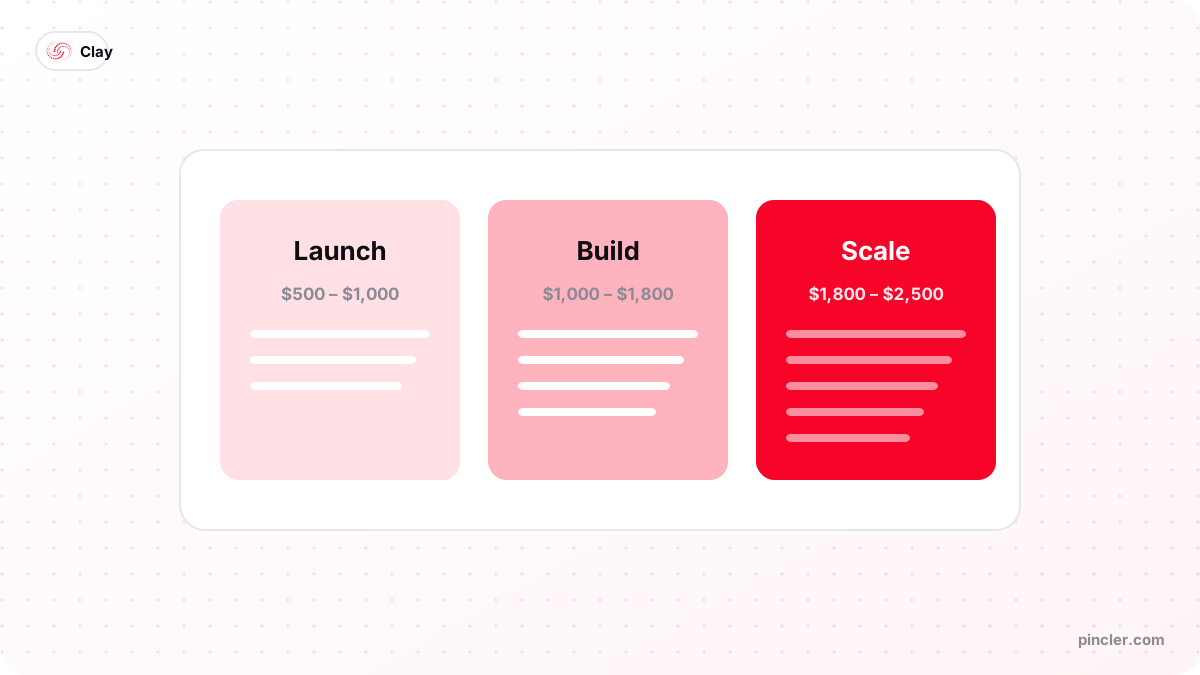
PINCLER is an AI-first custom software development studio, and the marketing-side Clay work we deliver — enrichment tables, segment syncs, trigger monitors — sits inside our GTM engineering category: across the 79 builds in PINCLER's published fixed-price catalogue, that category medians $1,600 fixed price and 14 days delivery, with Clay workflow builds specifically at $700 to $1,800 in 5 to 12 days. Every build in the catalogue at our research page is priced inside the $500–$2,500 band.
The consistent lesson from those builds: marketing teams overestimate the table and underestimate the plumbing. The enrichment logic takes a day; the field-ownership agreement with sales ops, the refresh schedule and the outcome feedback loop take the rest of the build — and they are what make the asset survive quarter two. When we hand over, the deliverable is the plumbing plus a runbook, because a table anyone can rebuild is not the valuable part.
The Bottom Line
Getting started with Clay for marketing is a four-week arc: build a trustworthy account list, enrich and segment it, feed campaigns from it, and close the outcome loop. Do it in that order on the free plan, and by month two you will know precisely what a paid tier is worth to you.
If you would rather begin with the pipeline already working, a fixed-price Clay workflow build ships in under a fortnight — and if the question on your desk is budget-shaped rather than workflow-shaped, Clay for CMOs makes the cost case in leadership terms.
Related PINCLER builds
Frequently asked
What is the first thing a marketing team should build in Clay?
One enriched ICP account list — 300 to 500 accounts matching written filters, with firmographics and a refresh schedule. Every marketing use of Clay reads from that asset: segmentation, ad audiences, personalisation attributes and CRM hygiene. Building campaigns before the list is trustworthy just distributes bad data faster.
Can marketers use Clay without doing cold outbound?
Yes — most marketing value in Clay has nothing to do with cold email. Segmenting by real firmographics, keeping CRM records fresh, building ad platform audiences and producing personalisation attributes for lifecycle campaigns are all sending-free workflows. Clay prepares data for channels you already run; it does not oblige you to add one.
How much does Clay cost for marketing use?
Account-first marketing work is credit-light: at the time of writing clay.com lists a free plan (100 data credits a month) that covers a pilot, and a Launch plan from $167 a month whose 3,000 data credits comfortably enrich a 500-account ICP list with a research column. Contact-heavy ABM pushes teams towards the Growth tier at $446.
Does personalisation from enriched data actually improve results?
The best public evidence says yes, with numbers attached: Hunter.io's analysis of 31 million emails sent in 2025 found messages carrying two custom attributes earned a 56% higher reply rate (5.6% vs 3.6%), and manually edited messages beat fully automated ones by 18%. The attributes have to be specific researched facts, though — merge-tag personalisation is not what the data rewards.
How often should a marketing team refresh its Clay account list?
Monthly for active campaign segments, quarterly for the wider list. HubSpot's database-decay research puts B2B contact decay around 22.5% a year, so a list refreshed annually is roughly a quarter wrong by the time it is reused. Scheduled re-enrichment on the segments that feed live campaigns is the cheapest insurance the credit budget buys.
Should a marketing team build its Clay workflows in-house or commission them?
Pilot in-house on the free plan; commission when the workflows touch shared CRM fields or need to survive staff changes. Across PINCLER's published catalogue of 79 fixed-price builds, a Clay workflow build costs $700–$1,800 fixed and ships in 5–12 days, because AI produces the first draft and senior engineers review and harden it — the kind of scope an affordable custom software development company should always quote in writing, warranty included.
Sources
Want to build this?
PINCLER builds custom software, AI agents and GTM systems for a fixed price between $500 and $2,500, delivered in 3–30 days, with the code owned by you.
Keep reading
Related articles
Clay for Marketing and GTM Teams: The Definitive Guide
Clay for marketing and GTM teams, explained end to end: what Clay does, how waterfall enrichment works, what it costs, and the workflows worth building first.
How to Get Started With Clay for Your Sales Team
How to use Clay for sales: a practical first-week setup — workspace, first table, waterfall enrichment, CRM push — plus credit costs and the mistakes to avoid.
Clay for CMOs: 10 Ways to Reduce Marketing Costs
Clay for CMOs: ten concrete ways marketing leaders cut data, agency and tooling costs with Clay — with the arithmetic shown and the honest limits stated.