Clay for Marketing and GTM Teams: The Definitive Guide
Clay for marketing and GTM teams, explained end to end: what Clay does, how waterfall enrichment works, what it costs, and the workflows worth building first.
Quick answer
- What Clay is
- A table-based enrichment and research workbench that feeds clean, personalised data to your CRM and outbound tools
- Core mechanism
- Waterfall enrichment — query data providers in sequence per row, pay only when one returns a result
- Price
- Free plan (100 data credits/month); paid plans from $167/month at the time of writing, per clay.com/pricing
- Best for
- Teams sending targeted outbound, building ICP lists, or cleaning CRM data at 500+ records a month
- Not for
- Teams with no outbound motion, under ~200 contacts a month, or nobody who enjoys spreadsheet logic
Clay is a spreadsheet-style data workbench for marketing and GTM teams: you pull companies and people into a table, enrich each row through dozens of data providers in sequence, run AI research on the gaps, and push the finished records into your CRM or outbound sequencer. That one sentence is the whole product. Everything else — waterfall enrichment, Claygent, credit pricing — is detail on top of it, and this guide covers all of it.
The reason Clay for marketing has become its own search category is that the tool sits in an awkward, powerful middle ground. It is not a contact database like ZoomInfo, not a sequencer like Instantly, and not a CRM. It is the layer that makes all three better, which also means it is genuinely confusing to evaluate on a feature list alone.
This guide explains what Clay actually does, walks through a complete workflow from empty table to booked meeting, gives you the current pricing with the credit arithmetic shown, and — because most Clay content is written by people selling Clay services — is honest about who should not buy it. Every external number here is attributed, and the first-party numbers come from the 79 builds in PINCLER's published fixed-price catalogue.
What Is Clay, in Plain Terms?
Clay is a table where every row is a company or a person and every column is an action: look up the firmographics, find the decision-maker, find and verify their email, research a question about them with AI, score the row, and send the result somewhere useful. You build the logic once, and every new row that lands in the table flows through it automatically.
The mental model that works best is a spreadsheet crossed with an integration platform. Like a spreadsheet, it is visual, formula-driven and forgiving — marketers and ops people run it without engineering support for most tasks. Like an integration platform, each column can call an external service: a data provider, an email verifier, an AI model, a webhook, your CRM. PINCLER is an AI-first custom software development studio, and we build Clay enrichment workflows for clients precisely because this crossover shape lets one tool replace several point solutions.
What Clay is not matters just as much. It is not a database you browse — it orchestrates other people's databases. It is not a sequencer — it hands finished lists to tools like Instantly or Smartlead. And it is not a CRM — it feeds one. If you want the full picture of how those pieces fit together, our guide to GTM engineering covers the whole stack; this article stays focused on the Clay layer.
How Does Clay Actually Work?
A Clay workflow has four stages: find, enrich, decide, act. You find records (import a CSV, pull a list from a search, watch for job changes or hiring signals), enrich them (waterfall through data providers for emails, phones and firmographics), decide (score rows with formulas, research open questions with Clay's AI agent), and act (sync to CRM, push to a sequencer, alert a channel, call a webhook).
The pipeline below is the shape almost every production table settles into, whatever the use case — the specific sources and destinations change, the four-stage structure does not:
Each column runs per row, left to right, and columns can reference each other — the AI research column can read the enriched company description, the scoring formula can read the AI research. That composability is the real feature. A static list purchase gives you rows; Clay gives you rows plus a repeatable decision process attached to them.
FIND                 ENRICH                DECIDE               ACT
CSV / LinkedIn   →   Firmographics     →   Scoring formula  →   CRM sync
Job changes      →   Waterfall email   →   AI research      →   Sequencer push
Hiring signals   →   Email verify      →   Route by ICP fit →   Slack / webhook
What Is Waterfall Enrichment and Why Does It Matter?
Waterfall enrichment means querying multiple data providers in sequence for the same field — try provider A for a work email; if it returns nothing, try provider B, then C — and paying credits only when a provider actually returns a result. Because no single B2B data vendor has good coverage everywhere, chaining several providers reliably beats any one of them on match rate.
The economics follow from the mechanism. A traditional data contract charges a flat annual fee whether or not the records you need are in the vendor's database. A waterfall charges per successful find. For teams whose target market is even slightly unusual — niche industries, non-US geographies, smaller companies — that difference in structure matters more than any single provider's coverage claim.
Freshness is the other half of the argument. HubSpot's database-decay research puts B2B contact data decay at roughly 22.5 per cent a year — people change jobs, emails die, companies rename. A list you enriched in January is measurably worse by June, which is why we treat enrichment as a recurring workflow rather than a one-off purchase in every lead enrichment build we scope.
What Can a Marketing Team Do With Clay?
The honest answer is that Clay for marketing splits into four job families, and most teams get value from two of them in the first month. The families are list building, data hygiene, personalisation and signal monitoring.
Personalisation is where the measurable payoff sits. Hunter.io's State of Cold Email analysis — based on 31 million emails sent by its users in 2025 — found that emails with two custom attributes earned a 56 per cent higher reply rate than non-personalised ones (5.6 per cent against 3.6), and that manually edited emails outperformed fully automated ones by 18 per cent. Clay is the practical way to produce those custom attributes at scale: an AI research column that reads each prospect's website and pulls one specific, checkable fact does the work a researcher used to do row by row.
- List building — turn an ICP definition into a named account list with verified contacts, instead of buying a static list that goes stale.
- Data hygiene — re-enrich CRM records on a schedule, catch job changes, kill dead emails before they hurt deliverability.
- Personalisation — AI research columns that extract one concrete fact per prospect for openers, landing pages or ad copy.
- Signal monitoring — watch for hiring, fundraising or technology changes across a tracked account list and trigger plays automatically, the same job our intent signal monitoring builds do.
How Much Does Clay Cost?
At the time of writing, clay.com/pricing lists a free plan with 100 data credits and 500 actions a month, a Launch plan from $167 a month with 3,000 data credits and 15,000 actions, and a Growth plan from $446 a month with 6,000 data credits and 40,000 actions, plus a custom-priced Enterprise tier. Annual billing carries roughly a 10 per cent saving, and extra data credits can be topped up at a 30 per cent premium. Clay restructured these plans in March 2026, replacing its previous $149, $349 and $800 tiers, as Warmly's pricing coverage documents.
Credits are the number to model, not the sticker price. Data credits are consumed when a provider returns a result — a found-and-verified email might settle at a couple of credits on average once misses are counted, though the exact figure depends on which providers your waterfall uses. If you assume two credits per found email, the Launch plan's 3,000 monthly data credits translate to roughly 1,500 fresh contacts a month. Run that against your actual outbound volume before choosing a tier.
We keep the full credit arithmetic, worked ROI models and plan-by-plan advice in the dedicated Clay pricing and ROI guide — the short version is that the subscription is rarely the deciding cost; the deciding cost is whether anyone on the team has time to build and maintain the workflows.
| Plan (clay.com, at the time of writing) | Monthly price | Data credits / actions per month |
|---|---|---|
| Free | $0 | 100 / 500 |
| Launch | from $167 | 3,000 / 15,000 |
| Growth | from $446 | 6,000 / 40,000 |
| Enterprise | custom, annual | custom |
A Full Workflow Walkthrough: ICP to Booked Meeting
Here is the complete build we implement most often, condensed from the Clay workflow builds in our catalogue. It takes a defined ICP to a personalised, CRM-synced outbound list, and every step below is one column group in a single Clay table.
Two design rules make the difference between this working and stalling. First, verify before you send: an email that fails verification should never leave the table, because bounce rates poison your sending domains. Second, keep a human in the loop on the personalised copy — Hunter.io's data showing manually edited emails outperform fully automated ones by 18 per cent matches what we see; the AI research column finds the fact, a person approves the sentence.
Time cost, honestly stated: the first version of this table takes a focused day or two to build and a fortnight of tuning. After that it runs on new rows automatically, and the weekly maintenance is an hour of reviewing edge cases. That maintenance hour is real — budget for it, or the workflow quietly rots.
- 1. Define the ICP as filters — industry, headcount band, geography, technology used — not as adjectives.
- 2. Source 300–500 accounts into the table from a company search, CSV import or scraped directory.
- 3. Waterfall firmographic enrichment: description, size, funding, tech stack, so later columns have material to work with.
- 4. Find 2–3 contacts per account by title filter (the buyer, the user, the budget-holder).
- 5. Waterfall work emails across providers, then run a separate verification step; drop rows that fail.
- 6. Run an AI research column per account — one specific question, such as which outbound tools they advertise for in job posts.
- 7. Score each row with a formula combining ICP fit and research findings; route only the top band onward.
- 8. Generate a one-line personalised opener from the research column; queue it for human review.
- 9. Sync approved rows to the CRM and push them to the sequencer with the opener attached.
- 10. Feed reply and meeting outcomes back into the table weekly and tighten the score thresholds.
How Does Clay Fit Into the Rest of the GTM Stack?
Clay occupies the data layer, and it deliberately does not compete with the layers above and below it. Below it sit the data providers it orchestrates. Above it sit the action tools: your CRM as the system of record, your sequencer as the sending engine, your ad platform for audience syncs. The outbound prospecting engines we build treat Clay as the hub and everything else as spokes.
This is why most versus questions about Clay are category errors. Clay against a sequencer is a pipeline, not a choice — our Clay vs Instantly piece walks through that pairing. Clay against a contact database is a real decision with real trade-offs, which we cover in Clay vs Apollo and Clay vs ZoomInfo. The one competitor Clay genuinely has is the status quo: a shared spreadsheet, three browser tabs of manual research and an intern.
A practical note on plumbing: the CRM sync deserves more design attention than anything else in the stack. Pushing rows is easy; pushing rows that respect your deduplication rules, owner assignments and lifecycle stages is the difference between a clean pipeline and a CRM your sales team stops trusting. When we scope a build, the sync and routing logic is routinely a third of the work.
| Stack layer | Job | Typical tools |
|---|---|---|
| Data providers | Hold the raw contact and company data | Dozens, orchestrated via Clay |
| Workbench | Enrich, research, score, route | Clay |
| Sending | Sequence and deliver outreach | Instantly, Smartlead |
| System of record | Own the customer lifecycle | HubSpot, Salesforce |
How Do You Know Whether Clay Is Working?
Measure Clay on four numbers: match rate, verification pass rate, reply rate and cost per qualified contact. Match rate tells you whether your waterfall suits your market — if fewer than seven in ten target contacts come back with a usable email, reorder or extend the providers. Verification pass rate protects deliverability. Reply rate tests the personalisation. Cost per qualified contact is the number the subscription must justify.
Set a baseline before you build anything, because the counterfactual is what makes the arithmetic honest. A team that was paying a research contractor, or burning rep hours on manual lookups, can price those hours and compare. A team that was doing nothing — no research, no personalisation — should expect Clay to raise costs and results together, and judge it on pipeline rather than savings. The reply-rate benchmarks worth aiming at come from Hunter.io's 2025 dataset: sequences sent to 21–50 recipients earned 6.2 per cent replies against 2.4 per cent for blasts to 500 or more, which is also a quiet argument for using Clay's scoring to send less, better.
Give the experiment a quarter. The first month is building, the second is tuning thresholds against real replies, and only the third produces numbers worth judging. Teams that evaluate Clay on week-two results almost always conclude it is expensive noise, because in week two it is.
Who Is Clay Actually For?
Clay fits teams that send targeted outbound or run account-based marketing at meaningful volume — roughly 500 or more new records a month — and that have at least one person who enjoys building spreadsheet logic. That person does not need to be an engineer. They do need to think in systems, because Clay rewards workflow design and punishes improvisation.
It particularly suits three situations: a team paying for an expensive data contract it only half-uses; a team whose reply rates have sunk because everyone in its market receives identical automated outreach; and a team whose CRM has quietly become a graveyard of stale records. In each case Clay is not adding a capability so much as repairing an economic mismatch.
Company size matters less than motion. We have scoped Clay workflows for two-person founder-led teams and for marketing departments of forty; the constant is that somebody owns outbound as a system, with targets, sending infrastructure and a feedback loop. If outbound is an occasional burst of activity between other priorities, the tooling will outlive the enthusiasm within a month, whatever you buy.
When Should You Not Buy Clay?
Do not buy Clay if you have no outbound or ABM motion — it is a data workbench, and without a downstream use for the data you are paying to enrich rows nobody contacts. Teams doing purely inbound marketing, or selling to a tiny named-account list of 50 companies, will get more from a CRM cleanup and a good sequencer than from an enrichment platform.
Do not buy it below roughly 200 records a month of real need either — the free plan covers experimentation, but a paid plan under light usage is an expensive habit. And do not buy it as a substitute for knowing who your customer is. Clay operationalises an ICP; it cannot invent one. If the honest answer to who you sell to is still anyone who pays, spend the money on customer conversations first. We say the same thing about software in general in our note on scoping projects to fit small budgets: tools amplify clarity, they do not create it.
What Are the Common Mistakes With Clay?
Five failure modes account for most abandoned Clay workspaces we get called in to rescue. All five are process mistakes, not tool mistakes, which is the good news — they are fixable without changing the subscription.
- 1. Enriching everything — running every provider on every row burns credits on accounts that were never going to qualify. Filter and score first, enrich the survivors.
- 2. Skipping verification — pushing unverified emails to a sequencer trades a small credit saving for domain reputation damage that takes months to repair.
- 3. Prompt-and-pray AI columns — vague research prompts produce vague personalisation that reads as automated. One narrow, checkable question per column.
- 4. No owner — Clay workflows need a named maintainer and a weekly hour. Shared ownership becomes no ownership within a quarter.
- 5. One-way sync — pushing to the CRM without feeding outcomes back means the scoring formula never improves and the table never learns.
PINCLER's Perspective: What Clay Builds Are Priced At
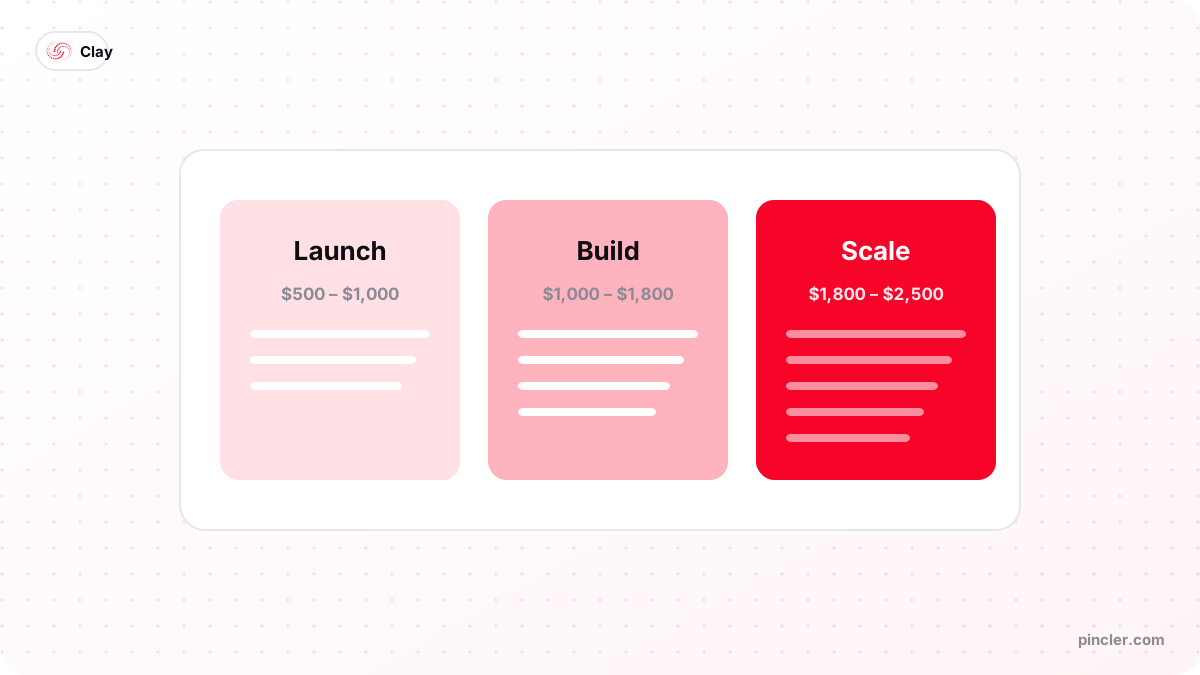
PINCLER builds GTM systems — Clay workflows, enrichment pipelines, CRM automations — as fixed-price projects, using AI tools for the build and senior engineers for review and release. Across the 79 builds in PINCLER's published fixed-price catalogue, the GTM engineering category carries a median fixed price of $1,600 and a median quoted delivery of 14 days across the seven builds in that catalogue category, with a range of $700 to $2,500. The Clay workflow builds specifically — enrichment waterfalls, AI research columns and CRM push — sit at $700 to $1,800 and ship in 5 to 12 days. The full dataset is published at our research page.
The pattern across those builds is consistent: the expensive part is never the Clay table itself. It is the edges — deduplication against an existing CRM, routing rules that respect territory logic, and the feedback loop from sequencer outcomes back into scoring. That edge work is why a production-grade workflow build is priced in four figures while a tutorial makes it look like an afternoon. Both are telling the truth; they are describing different percentages of the job.
Our honest advice on build-versus-DIY: if you have a systems-minded marketer with a spare day a week, start yourself on the free plan and keep the scope to one workflow. Commission it when the workflow touches your CRM of record, when deliverability is at stake, or when three weeks of internal attempts have produced a half-working table — by then the fixed price is usually cheaper than the wage-hours already spent.
The Bottom Line
Clay is the best current answer to a specific problem: getting accurate, fresh, personalised prospect data into your GTM tools without paying enterprise-database prices or drowning a team in manual research. It earns its subscription for teams with real outbound volume and a workflow owner, and it is the wrong purchase for teams with neither.
If you want the working version without the learning curve, a fixed-price Clay workflow build ships in under a fortnight at our rates — and if you are still comparing tools, start with Clay vs Apollo, which settles the most common head-to-head.
Related PINCLER builds
Frequently asked
What is Clay used for in marketing?
Clay is used to build and enrich prospect lists, keep CRM data fresh, generate personalised outreach at scale and monitor buying signals. Marketing teams typically start with list building — turning an ICP definition into verified contacts — and data hygiene, then add AI research columns for personalisation once the basic pipeline works.
Is Clay hard to learn for a non-technical marketer?
Clay is learnable for anyone comfortable with spreadsheet formulas, but it has a genuine learning curve around credits, waterfalls and integrations. Expect a competent marketer to be productive in one to two weeks on a single workflow. The common failure is not ability — it is nobody being given the recurring time to own the tables.
Does Clay send emails?
No. Clay builds, enriches and personalises the data, then pushes it to sending tools such as Instantly or Smartlead, or to your CRM. Treating Clay as the data layer and a sequencer as the sending layer is the standard architecture — the two are a pipeline rather than competitors.
How much does Clay cost per month?
At the time of writing, clay.com/pricing lists a free plan with 100 data credits a month, a Launch plan from $167 a month with 3,000 data credits, and a Growth plan from $446 a month with 6,000, plus custom Enterprise pricing. Usage is metered in credits, so your real cost depends on enrichment volume rather than seats.
What is waterfall enrichment in Clay?
Waterfall enrichment queries multiple data providers in sequence for the same field — email, phone, firmographics — and charges credits only when a provider returns a result. Because no single vendor has universal coverage, chaining providers raises match rates while keeping cost tied to successful finds rather than flat fees.
How much does it cost to have a Clay workflow built professionally?
Across PINCLER's published catalogue of 79 fixed-price builds, Clay workflow builds run $700 to $1,800 fixed price and ship in 5 to 12 days, while the wider GTM engineering category carries a $1,600 median. Those figures come from a production method rather than a discount: AI writes the first draft of the table logic and integration code, and senior engineers review, test and harden it. An affordable custom software development company should quote the whole pipeline — enrichment, CRM sync, feedback loop — in writing before starting.
Sources
Want to build this?
PINCLER builds custom software, AI agents and GTM systems for a fixed price between $500 and $2,500, delivered in 3–30 days, with the code owned by you.
Keep reading
Related articles
How to Get Started With Clay for Your Sales Team
How to use Clay for sales: a practical first-week setup — workspace, first table, waterfall enrichment, CRM push — plus credit costs and the mistakes to avoid.
How to Get Started With Clay for a Marketing Team
How to use Clay for marketing: build ICP account lists, enrich and segment them, and feed personalised campaigns — a practical first-month plan for marketers.
Clay for CMOs: 10 Ways to Reduce Marketing Costs
Clay for CMOs: ten concrete ways marketing leaders cut data, agency and tooling costs with Clay — with the arithmetic shown and the honest limits stated.