Can You Build a Custom CRM for Under $2,000?
The cheapest way to build a custom CRM, compared honestly: free tiers, spreadsheets, no-code, and an AI-drafted, senior-reviewed $1,200–$2,000 build. Which one you should pick.
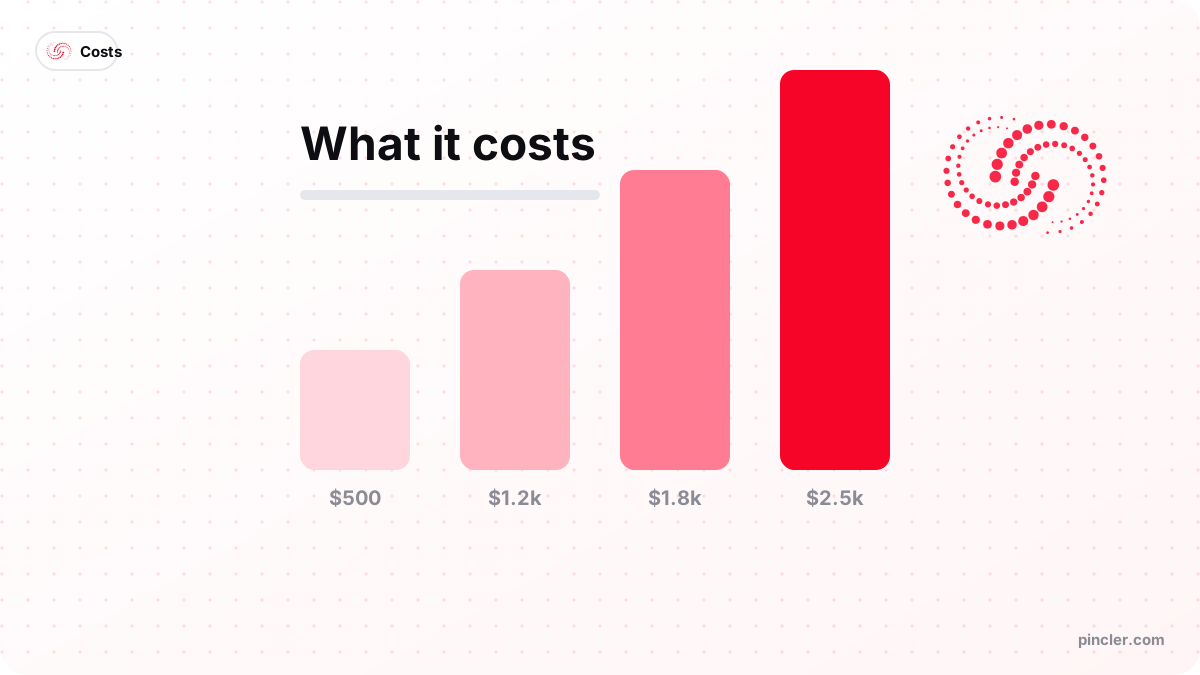
Quick answer
- Cheapest option overall
- A free CRM tier, if your pipeline is standard and your team is small. Building becomes cheaper past roughly three to four paid seats.
- Custom build cost
- $1,200–$2,000 fixed price for a single-pipeline CRM, built AI-first with senior review; $2,500 is the ceiling for any one phase, agreed in writing before work starts.
- Timeline
- 14–21 days. The median quoted delivery across the 79 builds in our published fixed-price catalogue is 13 days, with a range of 3 to 30.
- Build when
- Your deal stages do not fit a generic tool, you need two or more integrations, or seat fees are outgrowing a one-off build.
- Do not build when
- A free tier covers 90% of the job, your team is under three or four people, or nobody has written down the pipeline stages yet.
- Running cost
- Typically $5–$25 a month for hosting in your own cloud account, plus a domain. No per-seat fee — the eleventh user costs nothing.
Yes — a single-pipeline custom CRM ships for $1,200 to $2,000 fixed price in roughly two to three weeks: contacts, companies, deals, your own stages, notes and tasks, one integration and a clean import of whatever you use now. That price is possible because AI writes the first draft of the schema, the screens and the tests while a senior engineer owns the data model, the access rules and the release. But the cheapest way to build a custom CRM is often not to build one, and any guide that skips that sentence is selling rather than advising.
The two questions are separate. What a bespoke CRM costs to build is one thing, and our guide to what a custom CRM costs covers the full band. Whether building is the cheapest route for you is a different question, and it turns on three things: how unusual your workflow is, how many systems the CRM must talk to, and how many paid seats you are heading towards.
This article answers the second question. It sets out the realistic options from free to five figures, the three-year arithmetic with every input visible, what a build under $2,000 actually contains, and the specific situations where a free tier or a spreadsheet genuinely beats writing any code at all.
What is the cheapest way to build a custom CRM?
The cheapest way to build a custom CRM is to build the smallest one that removes a named daily annoyance — and to check first whether a free tool already removes it. In practice there are five routes, and they are genuinely different products rather than five prices for the same thing. The table below is the order we walk through on a scoping call, cheapest first.
Most small teams should stop at row two. The reason to keep reading is that rows one and two stop working in predictable ways: a spreadsheet breaks when two people edit it and nobody trusts the status column, and a free tier breaks when the feature you need sits behind a per-seat upgrade you would then pay for indefinitely.
| Route | Realistic cost | When it is the cheapest right answer |
|---|---|---|
| Shared spreadsheet | Effectively free | One to three people, a couple of hundred open records, no automated follow-up |
| Free tier of a mainstream CRM | $0 until you need paid features | A standard pipeline; you inherit years of edge-case polish for nothing |
| No-code database tool | Airtable lists Team at $20 per seat/month, billed annually | Unusual fields but simple logic; cost rises with editors, not with usage |
| AI-assisted fixed-price build | $1,200–$2,000 one-off | Odd workflow, two or more integrations, or seat fees outgrowing a build |
| Traditional agency build | $75,000–$98,000 per Purrweb (2026) | Enterprise scale, formal compliance, large multi-region teams |
When does a free tier or a spreadsheet genuinely beat building?
When your sales process is ordinary. Leads arrive, someone follows up, deals close or die — a mainstream CRM's free tier handles that pattern and has handled it for a decade, including edge cases you have not thought of yet. HubSpot's free CRM page states that its free functionality covers up to two users and 1,000 contacts with no expiry date at the time of writing, which is the usual reference point for small teams; choosing it over a build is not a compromise, it is arithmetic.
The spreadsheet deserves the same respect. For a two-person team tracking eighty open deals, a well-structured sheet is faster to change than any application and costs nothing. It stops working at a predictable point: when two people edit at once, when 'status' means different things to different people, or when follow-ups depend on someone remembering. That is the moment to look at turning the spreadsheet into a proper web app — not before.
Cheapest CRM decision

  Is your pipeline standard?
  (lead -> contact -> quote -> won/lost)
      YES -> how many PAID seats will you need?
                under ~4 -> FREE TIER. Stop here.
                4+       -> run the 3-year seat maths below
      NO  -> where does the odd part live?
                In the fields only    -> a no-code database may hold it
                In the workflow/rules -> BUILD ($1,200-$2,000 fixed)

  Must it talk to 2+ systems you already pay for?
      YES -> BUILD. Integrations are where generic tools
charge the most and bend the least.- Do not build if a free tier covers about 90% of your process — bend the remaining 10% and revisit in a year.
- Do not build if you cannot yet write your deal stages on one page. That indecision is the real cost driver.
- Do not build if the CRM is meant to fix a follow-up discipline problem. Software makes habits visible; it does not create them.
- Do not build a full CRM when the actual need is routing leads between tools you already use — that is an integration, and it is cheaper.
Who should build a custom CRM, and when does it win on cost?
It is the right purchase for a team that already sells in a particular way and has stopped being able to record it properly — a services business quoting, delivering and re-selling to the same accounts, an agency tracking retainers rather than one-off deals, a distributor whose pipeline is really a set of standing relationships. What those buyers share is not size but specificity: they can describe their stages in their own words, and no generic tool holds them without a workaround per stage. Three triggers make the build cheaper than renting, and you usually need only one.
First, an odd workflow: a pipeline spanning quoting, delivery and repeat business in one view, or industry-specific fields a generic tool cannot hold without a plugin per field. Second, integrations — the moment the CRM must talk to two or more systems you already pay for, generic tools start charging for connectors and bending awkwardly. Third, per-seat pricing at scale, which is the trigger most teams notice a year late.
The seat arithmetic is the honest part, so here it is with every input visible. Take a plan at $25 per user per month: at the time of writing Salesforce lists its Starter Suite at $25 per user per month, Airtable's pricing page lists Team at $20 per seat per month billed annually, and HubSpot's Sales Hub pricing page lists Professional at $90 per seat per month billed annually, so $25 is a deliberately conservative middle. Ten seats over three years is 10 × $25 × 36 = $9,000. A $1,800 build — AI-drafted and senior-reviewed — plus hosting at roughly $15 a month (× 36 = $540), plus a $600 reserve for occasional fixes, totals $2,940. The important thing about the third column below is that it does not move when you hire.
The breakeven falls out of the same numbers. Three years of a single $25 seat costs $900, so a $2,940 total pays for itself at about 3.3 seats. Below that, subscriptions win outright and you should use one. Above it, the case for renting weakens every month you keep hiring — provided the custom tool genuinely fits how your team sells, which is the condition most cheap builds fail.
| Team size | 3 years at $25/seat/month | 3 years of a $1,800 build + hosting |
|---|---|---|
| 3 seats | $2,700 | $2,940 |
| 5 seats | $4,500 | $2,940 |
| 10 seats | $9,000 | $2,940 |
| 20 seats | $18,000 | $2,940 |
What does a custom CRM under $2,000 include?
A complete single-pipeline tool, not a demo. The scope below is what we deliver in the band, and it is deliberately narrow — the price holds precisely because the deferred column exists and is written down before work starts. Anything on the right is real work we are happy to quote as a second phase, after a month of live use has shown which parts you actually miss.
Where the money goes is worth noticing. It is almost never the interface — modern component libraries make a clean, quick screen the cheap part. Cost lives in how many external systems the CRM talks to and how many kinds of user must see different things, which is the same pattern we see in third-party integration and data sync work.
| Area | In the $1,200–$2,000 build | Deferred to a second phase |
|---|---|---|
| Records | Contacts, companies, deals, notes, tasks | Products, quotes, contracts |
| Pipeline | One pipeline, your stages, kanban and list views | Multiple pipelines, per-stage automation rules |
| Users | Two roles — admin and user | Granular permissions, territories, client logins |
| Integration | One: email, calendar or a CSV export | Accounting sync, messaging, telephony |
| Reporting | Deals by stage, activity this month | Forecasting, cohort and win-rate analysis |
| Data | One clean import of your current list | Full historical migration and deduplication |
How do you keep a CRM build under $2,000?
By deciding the shape before anyone writes code. A CRM is a data model with opinions, and every hour spent arguing about stages after the build has started is an hour that was cheap to spend before it. Teams that arrive with a one-page description of their pipeline routinely land at the bottom of the band.
- Write your stages down first, in your own words. Five to seven stages is normal; twelve usually means two processes are fighting inside one pipeline.
- Pick one integration for phase one. Each additional external system carries authentication, failure handling and a test surface of its own.
- Export a sample of your existing data before asking for a quote. Clean CSVs migrate in hours; duplicated, inconsistent history can be a third of the project.
- Skip reporting in phase one. Almost every team asks for dashboards and then lives in the pipeline view.
- Choose fixed price over hourly so scope drift is a conversation rather than an invoice — the mechanics are in our fixed price versus hourly guide.
- Insist the code lands in your GitHub organisation and the data in your own database, so any developer can take it over later.
What mistakes make cheap CRM builds fail?
Not the code. Small CRM builds fail on adoption and on data, and both failures are set in motion during scoping rather than during development.
- Building for the report instead of the rep. A CRM that adds work for the person logging the deal gets quietly abandoned, and then the pipeline is fiction.
- Copying a large CRM's feature list. You are paying for the twenty per cent you use; replicating the other eighty is how a $1,500 build becomes a $6,000 argument.
- Treating migration as an afterthought. Messy history is the most commonly underpriced part of any CRM project.
- Adding a second pipeline 'while we are here'. It doubles the state model and rarely earns its keep in phase one.
- Ignoring the exit test. If a vendor will not assign the IP and hand over the repository, the cheap price is being recovered through your dependence on them — the reasoning is in who owns your code.
- Building before the process is settled. A CRM encodes a workflow, and encoding an unfinished one costs twice.
PINCLER's perspective: what our published catalogue says about CRM work
PINCLER is an AI-first custom software development studio, and CRM builds sit at the intersection of three categories in our published catalogue. Across its 79 builds — every one priced between $500 and $2,500 — the Integrations median is $1,200 over a quoted 10 days, Dashboards $1,600 over 14 and Internal Tools $1,725 over 16. A CRM draws on all three, which is why our quotes cluster at $1,200 to $2,000 rather than spreading across a vague range.
The band exists because of how the work is produced. AI writes the first draft — schema scaffolding, standard screens, tests — while senior engineers own the data model, the access rules and the release. Across the catalogue, GPT is listed on 76 builds, Cursor on 75 and Claude Code on 63, but no build ships without a human security pass and a review against real exported data. That review is precisely the step buyers assume affordable custom software development skips, so it is worth naming rather than implying.
One observation from scoping costs nothing to act on: the fastest builds are not the simplest, they are the ones where the client has already written the process down. The median quoted delivery across all 79 catalogue builds is 13 days, and the difference between a 10-day CRM and a 21-day one is almost entirely how long the stage definitions take to settle. The catalogue is a published price list rather than a record of delivered work, and it is published build by build so you can hold your idea against comparable entries before you call anyone.
The bottom line
Under $2,000 buys a real custom CRM — one pipeline, your stages, one integration, your data imported, the code in your own repository — and it is the right purchase when a generic tool cannot hold your workflow, or when seat fees have overtaken a one-off build. Under three or four seats with an ordinary pipeline, a free tier is cheaper and better, and we will tell you so on the call.
For the exact scope and fixed band written out, the lightweight CRM for small teams page lists what we deliver, and the pricing page shows where a CRM sits against the rest of the catalogue. A short call is usually enough to work out which side of the free-tier line you are on, and the written fixed quote follows within a working day.
Related PINCLER builds
Frequently asked
Can you really build a custom CRM for under $2,000?
Yes, for a single-pipeline CRM serving a small team: contacts, companies, deals, your own stages, notes, tasks, two user roles, one integration and an import of your current list. It ships in fourteen to twenty-one days. What it excludes is multiple pipelines, granular permissions, forecasting and several integrations — those form a second phase, priced separately, and most teams find they need fewer of them than expected.
What is the cheapest way to replace a sales spreadsheet?
Start with a free CRM tier — if your process is ordinary it costs nothing and works immediately. Move to a custom build when the spreadsheet's specific problems appear: simultaneous edits, a status column nobody trusts, or follow-ups that depend on someone remembering. At that point a scoped build at $1,200–$2,000 — AI-drafted, senior-reviewed — replaces the sheet with logins, validation and an audit trail, and the running cost is hosting rather than seats.
Is a cheap custom CRM worse than an expensive one?
Not automatically — it depends what the price is buying. An affordable custom software development studio working AI-first carries a structurally lower cost base, not a lower standard, provided senior review, testing and a security pass sit in the process. The genuine differences higher up are scope breadth, formal compliance work and dedicated ongoing teams. For a ten-person sales team, none of those three change the daily experience of using the tool.
What should be in phase one of a budget CRM build?
One pipeline with your real stages, contacts and companies, deals with notes and tasks, two roles, one integration and a clean import of your existing list. Leave out multiple pipelines, forecasting, granular permissions and the second and third integrations. Run it for a month, then let actual usage decide phase two — the list you write before launch and the list you want afterwards are rarely the same.
What does a custom CRM cost to run each month?
Typically $5 to $25 a month for hosting on a small cloud plan, plus a domain and any transactional email you send. There are no per-seat fees, which is the structural advantage: adding an eleventh user costs nothing. Budget a small reserve each year for adaptive fixes, since integrated APIs change. Everything runs in your own accounts, so you pay providers directly at their published rates.
When should we not build a CRM at all?
When a free tier covers roughly ninety per cent of your process, when your team is under three or four paid seats, or when nobody has written the deal stages down yet. Skip it too when the real problem is follow-up discipline rather than tooling. A CRM makes a working process faster and an unfinished process permanent, so settle the process first and the build gets cheaper as a side effect.
Sources
Want to build this?
PINCLER builds custom software, AI agents and GTM systems for a fixed price between $500 and $2,500, delivered in 3–30 days, with the code owned by you.
Keep reading
Related articles

Why Do Agencies Charge $30,000 for What We Build for $2,500?
Why is custom software so expensive at one supplier and not another? A transparent breakdown of agency cost structure, hour counts and the arithmetic behind a $2,500 build.
What Can You Actually Build for $2,000?
What can you build for $2000? One complete workflow, live in about two weeks — AI-drafted, senior-reviewed — with the exact scope and what gets deferred to phase two.
How Much Does Custom Software Development Cost in 2026?
Custom software development cost in 2026: $500–$2,500 fixed price by project type, held there because AI drafts each build and senior engineers review, test and harden it.