AI Automation Cost: Pricing Workflows, Agents and Pipelines
AI automation cost: workflows from $500, document pipelines to $2,200 — fixed, AI-drafted and senior-reviewed — plus honest running costs and the ROI maths to do first.
Quick answer
- Typical cost
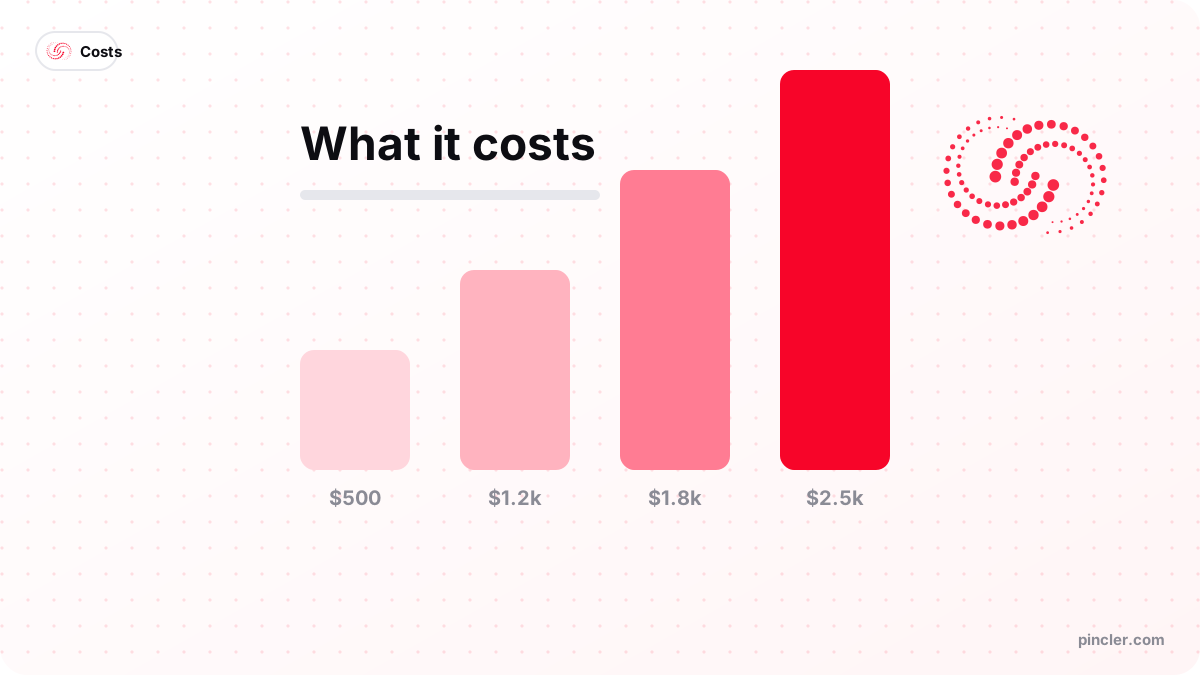
- $500–$2,200 fixed, in 4–18 days: AI drafts the pipeline, senior engineers review, test and add alerting
- Cheapest categories
- Cloud & DevOps median $850, data work $1,100, integrations $1,200 — mostly boilerplate AI drafts fast, with senior review on the failure paths
- Running costs
- $10–60/month: platform or hosting fees plus LLM tokens where AI is involved
- Payback test
- Hours saved × loaded hourly cost versus build price plus running cost
- Best for
- Frequent, rule-describable tasks with real volume
AI automation costs between $500 and $2,200 to build at PINCLER, fixed price — AI drafts the pipeline and senior engineers review, test and harden it — depending on what you are automating: a workflow connecting your existing tools starts at $500, an invoice-extraction pipeline runs $900–$2,000, and a scheduled AI report generator lands between $1,000 and $2,200. Delivery is 4 to 18 days.
The phrase covers a spectrum, which is why ai automation cost searches return numbers from $200 to six figures. At one end sit plain workflows — triggers and actions with no judgement involved. At the other sit systems where an LLM reads, decides or writes something on every run. The build cost, and more importantly the running cost, differ between those ends, and conflating them is how businesses overpay. Any ai development company that quotes before asking where your project sits on that spectrum is guessing.
This guide prices the three most-commissioned automations, grounds them in PINCLER's published catalogue of 79 fixed-price builds, separates build cost from monthly cost, and walks through the two-line ROI calculation that should precede any automation purchase — including one from us.
How much does AI automation cost?
Every automation we build is quoted fixed before work starts and delivered to infrastructure you own — whether that is an n8n instance on your server, a Zapier or Make account in your name, or custom code in your GitHub. No per-task fees payable to us, no platform lock-in, and a bug-fix warranty on the build.
The band's width maps to a simple spectrum: how much judgement does each run require? Moving a form submission into HubSpot needs none. Reading a supplier invoice, extracting seventeen fields and flagging anomalies needs quite a lot. Price follows judgement.
One structural point before the tiers: automation is the rare purchase where starting small is also starting best. A first workflow at $500–$800 proves the pattern, teaches your team to trust the alerts and the exceptions queue, and surfaces the next three candidates on its own — which is why most of our automation clients commission a second phase within a quarter, and why nothing in this guide requires a platform decision or an annual contract to begin.
Three common automations, priced
These three builds cover most of the automation briefs we receive, and they conveniently mark the low, middle and top of the band. Notice what the third column keeps repeating: the human stays in the loop wherever judgement or money is involved. An exceptions queue for the invoice pipeline, an approval step before anything posts externally — these are not signs of timid engineering, they are what makes an automation safe to run unattended at 2am, which is the entire point of paying for one.
| Automation | Fixed price | What changes |
|---|---|---|
| Workflow automation (n8n, Zapier, Make) | $500–$1,500 | Connects 2–6 tools with triggers, transforms and alerts; AI steps optional for classification or drafting |
| Invoice & receipt extraction | $900–$2,000 | Documents parsed into structured data, validated, pushed to your accounting tool with an exceptions queue for a human |
| Automated AI report generator | $1,000–$2,200 | Data pulled from your systems on schedule, analysed, written up and delivered as a PDF or Slack digest |
PINCLER's perspective: what the published catalogue prices say
The published catalogue behind our quotes backs the bands. Across its 79 builds — every one priced between $500 and $2,500 — the categories automation work falls into carry the lowest advertised prices and the shortest quoted windows, precisely because most of the code is plumbing rather than product. The full catalogue, with every category median, is on our research page.
Two reference points from the wider dataset help with planning: the overall catalogue median is $1,450 advertised and 13 days quoted, and a $1,000 budget covers the starting price of 55 of the 79 published builds. Automation briefs sit disproportionately in that reachable half, which is why they make such good first projects.
| Category | Median fixed price | Median delivery |
|---|---|---|
| Cloud & DevOps | $850 | 5 days |
| Data | $1,100 | 9 days |
| Integrations | $1,200 | 10 days |
| AI Content | $1,300 | 11 days |
What drives AI automation cost up or down?
Four factors set the price within the band, and the first is the one buyers most often misjudge.
- Judgement per run — every step where the system must read, interpret or decide adds prompt design, test cases and an exceptions path for when confidence is low.
- Messiness of inputs — clean API data is cheap to handle; scanned PDFs, inconsistent spreadsheets and free-text emails are where the engineering hours go.
- Number of systems — each connected tool adds authentication, rate limits and failure handling. Six tools is a different project from two.
- Consequences of error — an automation that drafts for human approval can be simple; one that acts directly on your accounts needs validation layers and logging, and should have them.
What does automation cost to run each month?
Two monthly lines. The first is the platform. Zapier's published pricing at the time of writing starts with a free plan of 100 tasks a month, with its Professional tier from $19.99 a month billed annually; Make's free plan includes 1,000 credits a month, with its Core tier from around $12 a month billed annually. Self-hosted n8n runs on a $5–20 server with no per-task metering — our usual recommendation once volumes grow or logic gets complex, and our n8n vs Zapier vs Make comparison weighs the three platforms in full. The second line is LLM usage where AI steps are involved, billed in your own API account; for most small-business automations this lands between a few dollars and a few tens of dollars monthly, scaling with volume.
Good engineering keeps both lines down: rule-based steps wherever rules suffice, smaller models for routine classification, and the expensive model reserved for the calls that genuinely need it. An automation that only invokes AI when a document is ambiguous costs a fraction of one that sends everything to the biggest model available — ask any prospective builder how they handle this, and listen for a specific answer.
What does manual invoice processing really cost?
Document handling is where the savings are largest and best documented. Ardent Partners' State of ePayables research reported an average cost of $10.89 to process a single invoice manually, against $2.78 for best-in-class teams running automated AP — a 74 percent reduction. Those numbers fold in labour, exception-chasing and the overhead nobody itemises on a timesheet.
Run it against a real volume. A business processing 300 invoices a month at the $10.89 average is spending about $3,267 a month on the task. An extraction pipeline in our $900–$2,000 band will not reach best-in-class on day one — but even closing half the gap to $2.78 saves roughly $1,200 a month, which pays back a $1,500 build in under six weeks. That is the honest version of the calculation: conservative assumptions, visible inputs, and still a short payback.
How do you work out the ROI before buying?
Before commissioning anything, write down two numbers: hours the task currently consumes per month, and the loaded hourly cost of whoever does it. Multiply them. If a task eats 25 hours a month at $30 an hour, that is $750 of monthly cost — against a one-off build of, say, $1,200 and perhaps $25 a month to run. Payback inside two months, and everything after is margin. If instead the task takes two hours a month, leave it alone; not everything deserves automating.
Include the error rate in your thinking, not just hours: manual data entry mistakes have costs that never appear on a timesheet — chased invoices, wrong shipments, apology emails. And automate only processes that already work. An automation is an amplifier; pointed at a broken process, it amplifies the breakage.
Monthly value = hours saved × loaded hourly cost
Payback = build price ÷ (monthly value − running cost)
    under 6 months → automate now
    6–12 months    → shrink the scope, then automate
    over 12 months → leave it manual
What does the research say about AI-assisted automation?
The tooling shift behind these prices is well documented. The 2025 DORA research from Google's DevOps team, surveying nearly 5,000 technology professionals, found AI adoption among software professionals had reached 90 percent, with respondents spending a median of two hours a day working with AI tools and more than 80 percent reporting productivity gains. McKinsey's State of AI research, meanwhile, reported 88 percent of organisations using AI in at least one business function. This is why ai based software development can price an integration pipeline at $1,200 rather than $12,000: the boilerplate that used to consume the hours is now drafted in minutes and reviewed by seniors.
The same DORA report carries the caveat that belongs in every automation plan: AI amplifies what is already there — strong teams get faster, struggling ones amplify their problems, and 30 percent of respondents reported little or no trust in AI-generated code. Translated to automation buying: the value is real, the drafts still need senior review, and a pipeline should earn autonomy gradually, with an exceptions queue in front of anything that touches money.
Why do automations get abandoned?
The commonest death is the silent failure: a workflow that breaks when an API changes and tells nobody, discovered three weeks later as a pile of unprocessed records. Every automation we ship alerts on failure — a Slack message or email the moment a run errors — because an automation you cannot trust is worse than the manual process it replaced.
The second is the missing exceptions queue. No extraction pipeline reads every messy document perfectly; the design question is what happens to the 5 percent it is unsure about. The answer must be a human review queue, not a guess written into your accounting system. The third is automating a process the team quietly works around — automate the process people actually follow, or fix the process first, or the automation joins the workaround pile within a month.
When should you not automate a process?
Do not automate a process that is still changing. If the steps were different last month and will be different next month, an automation freezes a decision you have not made yet, and you pay twice — once to build it, once to unpick it. Stabilise the process by hand first; the version that survives three months unchanged is the version worth wiring up.
Do not automate volume that does not exist. A task performed twice a month, however irritating, cannot repay a build. The arithmetic in the previous section is the test: hours removed multiplied by loaded hourly cost, set against the build price and the monthly running cost. If the payback runs past a year on your own numbers, leave it manual and spend the budget on something with a shorter return.
Do not automate around a tool you are about to replace, and do not automate a process nobody owns. Automations without an owner drift quietly out of date, and the first sign is usually a customer complaint rather than an alert. If no one in the business will be responsible for it in six months, that is a reason to say no now, not a detail to sort out later.
- Skip it — processes that change monthly, or that exist only because a tool is configured badly. Fix the configuration instead.
- Skip it — anything a mainstream tool already includes; a native feature you are paying for beats a bespoke pipe.
- Wait — a payback period longer than twelve months on your own numbers.
- Say no — no internal owner after launch, and no metric agreed before it.
Where to start
The best first automation is usually the task your team complains about most — it is visible, measurable, and the win builds appetite for the next one. Describe that task to us, with the tools involved, and a written fixed quote arrives within one working day, always inside the $500–$2,500 band.
The workflow automation use case covers the n8n, Zapier and Make builds; the invoice extraction and AI report generator pages price the document-heavy pipelines. Or book the free 30-minute call, bring the tedious task, and we will tell you honestly whether it needs AI, a plain workflow, or nothing at all.
Related PINCLER builds
Frequently asked
Should I build my automation on n8n, Zapier or Make?
Zapier if you value the widest app catalogue and want simplicity; Make if you want visual complexity at a keen price; n8n if you want self-hosting, no per-task fees and room for complex logic — it is our default recommendation once volumes grow. The honest answer is that the platform matters less than the design of the workflow, and we build on whichever fits your case.
What does AI automation cost per month to run?
Typically $10–60 for a small business: either a platform subscription — Zapier's Professional tier is published from $19.99 a month billed annually at the time of writing, Make's Core from around $12 — or a $5–20 server for self-hosted n8n, plus LLM token usage in your own API account where AI steps are involved. Costs scale with volume, and well-designed workflows keep AI calls to the steps that genuinely need judgement, which keeps the token line small.
How much does invoice automation actually save?
Ardent Partners' AP research puts the average manual cost at $10.89 per invoice and best-in-class automated processing at $2.78 — a 74 percent gap. At 300 invoices a month, closing even half of it saves around $1,200 monthly, which repays a $1,500 pipeline in under six weeks — that price is a fixed-scope build with AI drafting the extraction code and a senior engineer reviewing the exceptions path. Your own numbers depend on volume and how messy the documents are, which is exactly what a scoping call establishes.
How do I know if a task is worth automating?
Multiply the hours it consumes per month by the loaded hourly cost of the person doing it, and compare that with the build price plus running costs. Tasks that are frequent, rule-describable and boring are ideal candidates; rare, judgement-heavy tasks usually are not. If the payback period is under six months, automate; if it is over a year, the honest advice is to spend the budget elsewhere.
Can I build automations myself with no-code tools instead of hiring anyone?
Yes, and for simple two-tool workflows you probably should — Zapier and Make exist for exactly that, and both publish free tiers at the time of writing. The case for hiring shows up at the edges: error handling, exceptions queues, messy documents, rate limits and anything touching money are where self-built workflows quietly fail. A studio doing ai based software development earns its fee on the 5 percent of runs that go wrong, not the 95 percent that were easy.
How long does an automation project take to deliver?
Four to eighteen days across the builds in this guide, and the published catalogue agrees: across its 79 builds, integrations carry a median quoted delivery of 10 days, data work 9 days, and cloud or DevOps automation 5 days. The variable that stretches timelines is rarely the logic — it is waiting on API access, sample documents and account permissions, so having those ready at kickoff is the best schedule insurance there is.
Sources
- Ardent Partners, State of ePayables research
- DORA, 2025 State of AI-assisted Software Development report
- McKinsey & Company, The State of AI
- Zapier, published pricing
- Make, published pricing
Want to build this?
PINCLER builds custom software, AI agents and GTM systems for a fixed price between $500 and $2,500, delivered in 3–30 days, with the code owned by you.
Keep reading
Related articles

Why Do Agencies Charge $30,000 for What We Build for $2,500?
Why is custom software so expensive at one supplier and not another? A transparent breakdown of agency cost structure, hour counts and the arithmetic behind a $2,500 build.
What Can You Actually Build for $2,000?
What can you build for $2000? One complete workflow, live in about two weeks — AI-drafted, senior-reviewed — with the exact scope and what gets deferred to phase two.
Can You Build a Custom CRM for Under $2,000?
The cheapest way to build a custom CRM, compared honestly: free tiers, spreadsheets, no-code, and an AI-drafted, senior-reviewed $1,200–$2,000 build. Which one you should pick.