Restaurant QR Ordering System: Features, Cost and Setup
Restaurant QR ordering system cost in full: $900–$2,000 AI-drafted, senior-reviewed custom builds vs monthly platforms, per-order fees, setup steps and three-year totals.
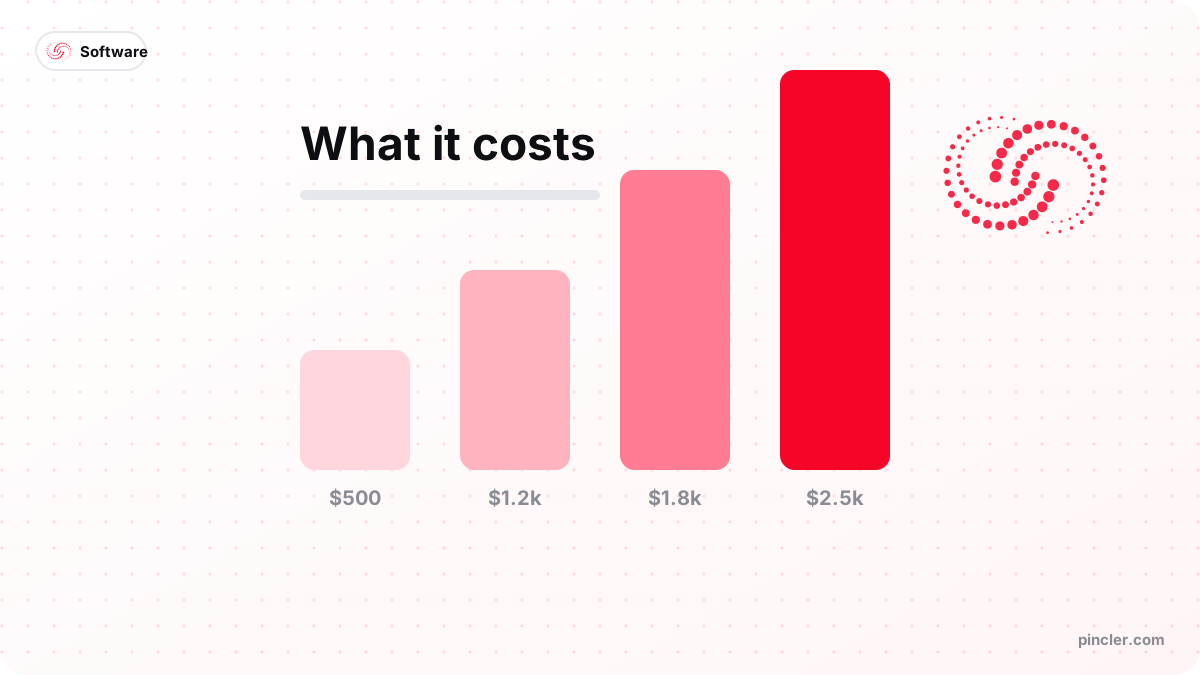
Quick answer
- Custom build
- $900–$2,000 fixed-price at PINCLER, delivered in 10–16 days — AI-drafted, senior-engineer reviewed and tested
- Platform route
- Roughly $69–$144+/month on published POS and ordering pricing, before processing
- Running costs
- Hosting ~$10–15/month, payment processing per transaction, occasional card reprints
- Break-even
- Custom overtakes a ~$144/month stack around month 11
- Setup time
- 1–2 days on a platform; 10–16 days for a custom build
A restaurant QR ordering system costs $900–$2,000 as a one-off custom build at PINCLER — menu, cart, per-table codes, payments and a kitchen screen, fixed-price with a quoted delivery of 10 to 16 days. The band sits that low because AI writes the first draft and senior engineers review, test and harden the build; it covers one venue's ordering flow on standard payment and kitchen integrations, not a multi-site POS replacement. The subscription route inverts the shape: platform fees landing monthly, often with per-order or processing add-ons, and POS-bundled options such as Toast listing the core system from $69 a month with online ordering as a roughly $75 add-on, per Merchant Maverick's pricing guide. Restaurant qr ordering system cost is therefore really two questions: what you pay, and for how long.
This guide answers both. It breaks the feature set into what each budget tier buys, shows the running costs nobody puts on the pricing page — payment processing, hosting, reprints — and works the three-year arithmetic for a real venue so you can see where the lines cross. All PINCLER figures come from our own published fixed-price catalogue; all platform figures are published prices, hedged to the time of writing.
If you are still deciding whether you need ordering at all rather than a read-only menu, settle that first with our QR menu vs ordering app comparison — it is a cheaper question to get right.
The Short Answer: $900–$2,000 Once, or Fees Forever
Every QR ordering option prices one of two ways. Custom: a one-off build fee — $900–$2,000 in PINCLER's fixed band — then hosting pennies and standard payment processing. Platform: low or zero setup, then recurring fees for as long as you take orders, typically layered as a base subscription plus an ordering module plus processing. Neither is wrong; they are different shapes of the same spend, and the venue's time horizon decides which shape is cheaper.
What should not vary is the deliverable: a mobile ordering page, per-table codes, card-wallet payments, a kitchen view and an admin panel where staff flip items to sold out. Any quote or tier missing one of those five is a menu with ambitions, whatever the marketing says — the full build guide lists the version-one feature set in detail.
What Features Does Each Budget Buy?
Within the custom band, price tracks structure: modifiers, payment modes and kitchen complexity move the number far more than visual polish does. The tiers below are how the $900–$2,000 range actually allocates.
| Tier | Fixed price | What it includes |
|---|---|---|
| Core ordering | $900–$1,200 | Menu, cart with notes, per-table codes, pay-on-order via Stripe, single kitchen screen, sold-out toggles |
| Standard | $1,200–$1,600 | Adds full modifier groups, order-status view for diners, basic sales summary, printed-card artwork |
| Full service | $1,600–$2,000 | Adds open-tab pay-at-end mode, multi-station kitchen routing, multi-language menu, daily reporting |
What Are the Running Costs After Launch?
A custom system's recurring bill is short: hosting at roughly $10–15 a month for a single-venue app, a domain renewal yearly, and payment processing on each card transaction — which every option pays, platform or custom, because it is the price of accepting cards rather than a property of the software. Budget a small annual sum for reprinting table cards as they wear; laminated cards survive about a year of real service.
Platform running costs stack differently: the base subscription, the ordering module, sometimes per-order fees, and processing — with the published entry points (Toast's $69 core plus ~$75 ordering, per Merchant Maverick) sitting below the real operating total; the same guide notes operators commonly report four-figure monthly all-in costs once hardware, add-ons and processing land. The comparison to run is never sticker versus sticker; it is your volume through each fee structure over the period you expect to operate.
The Three-Year Arithmetic for a Real Venue
Take a 15-table casual restaurant. Custom route: a $1,500 build plus $15 a month hosting is $1,500 + $540 = $2,040 over three years, plus processing. Platform route at the published entry stack of roughly $144 a month ($69 POS + $75 ordering): $5,184 over the same three years, plus processing — and the gap widens with every add-on. The custom build breaks even against that stack around month 11 ($1,500 divided by the ~$129 monthly difference), with every later month banked.
The honest caveats: the platform stack includes a POS, support desk and hardware ecosystem the standalone build does not replace, so if you need a full POS anyway, compare the ordering module's marginal cost rather than the whole bundle. And a venue unsure it will exist in a year should rent, not build. Where the custom case is strongest is the owned channel argument — DoorDash's published partner plans take 15, 25 or 30 percent commission per delivery order depending on tier, per DeliverGuard's fee comparison, and an owned ordering channel at fixed cost is the structural hedge against renting your demand back at a percentage.
What Does Setup Actually Involve?
Custom setup is a 10-to-16-day fixed project: menu modelled as data, ordering page and kitchen screen built, a payment gateway integration wired and webhook-tested, per-table codes generated and printed, then a pilot service on a few tables before full rollout. Your side of the work is content and decisions — menu data, modifier lists, pay-on-order versus tabs — which is why organised venues ship at the fast end of the range.
Platform setup is faster — typically a day or two of menu entry and printing — which is a genuine advantage for trials and seasonal venues. The corresponding cost arrives at exit: menus, data and printed codes bound to a platform URL make switching later a reprint-everything event, an exit charge that never appears on any pricing page.
When Should You Not Spend This Money?
Skip QR ordering entirely if order-taking is not a bottleneck: a full-service room where waiter interaction is the product, a low-volume café where the counter queue never forms, or a clientele that Toast's guest survey suggests will simply not use it — 81 percent of diners still prefer physical menus, and the preference strengthens with age. A $500–$900 read-only menu page, or paper, serves those floors better for a fraction of the cost.
Delay it — do not skip it — if your menu is still churning weekly or the venue opens next month: transactional software built on an unstable menu pays for the instability twice. Run the floor for a season, learn where guests actually wait, then buy the fix for the queue you observed rather than the one the brochure describes. When the bottleneck is visible, the spend justifies itself quickly; until then, it is a solution renting a problem.
Who Should Spend This Money? A Decision Tree
Work down the tree and stop at the first exit. It prices your bottleneck rather than the category, which is the only way this decision goes right.
Stated plainly: this build is for permanent venues with a visible ordering bottleneck and a horizon past a year — counter-service sites, food halls, casual dining at volume, hotel and poolside service, and multi-site operators for whom a per-venue subscription multiplies. It is not for seasonal kitchens, for rooms where waiter interaction is the product, or for any venue whose existing POS bundle already contains an ordering module nobody has switched on.
Do guests queue to order, or wait to pay, at peak?
│
├─ NO → Do prices or specials change weekly?
│        ├─ YES → QR MENU PAGE ($500–$900) or a ~$38/mo tool
│        └─ NO  → SPEND NOTHING — paper is still the cheapest menu
│
└─ YES → How long will this venue run?
          ├─ Under 12 months / seasonal → SUBSCRIBE (~$69–$144/mo)
          ├─ Permanent, one site        → BUILD ($900–$2,000 fixed)
          └─ Permanent, 2+ sites        → BUILD — one codebase serves
                                          every branch, no multiplier
Common Cost Mistakes with QR Ordering Systems
The expensive errors in this category are structural, made before any invoice arrives.
- 1. Comparing platform month-one pricing to a build's total — run both over three years at your volume before deciding.
- 2. Forgetting payment processing is universal — it belongs in every column of your comparison, not just the custom one.
- 3. Buying the analytics-and-loyalty tier before the transaction loop has run a single rush — spend where orders happen first.
- 4. Printing table codes that point at a platform's domain — the exit reprint is a real cost; codes on your own domain never expire.
- 5. Ignoring the per-location multiplier — platform fees double with venue two; a custom codebase serves both branches for one build fee.
- 6. Scoping POS integration into version one by default — it is often a phase-two need, and deferring it can move a quote a full tier down.
PINCLER's Perspective: Where These Builds Sit in Our Published Catalogue
Across the 79 builds in PINCLER's published fixed-price catalogue, E-commerce — the category QR ordering belongs to — shows a median advertised price of $1,525 and a median quoted delivery of 13 days, almost exactly the midpoint of the $900–$2,000 restaurant band. Budget reach across the whole catalogue is worth knowing too: a $1,000 budget covers the starting price of 55 of the 79 catalogue builds, and $2,000 covers all 79. Publishing the full itemised list, rather than 'contact us for pricing', is the point — it is at what you can build.
Two scoping habits are worth stealing whichever route you take. First, transaction-loop-first scoping — cart, payments, kitchen — is what keeps these builds near the band's bottom; features that do not touch an order can always come later. Second, ownership compounds: a venue that launches on its own domain with its own Stripe account can change hosting, design and even development partner later without reprinting a single table card. That flexibility is part of what a fixed $900–$2,000 with a written quote inside a working day actually buys.
Bottom Line
Expect $900–$2,000 once for a custom restaurant QR ordering system, or roughly $69–$144-plus a month on published platform pricing before processing — with the build overtaking the subscription inside a year for a typical single venue and the gap compounding after. Buy the subscription for trials and short horizons; build for a permanent floor, and keep the printed codes on a domain you own either way.
Fixed prices for both the ordering system and the menu-only version are listed on the restaurant QR menu and ordering use case, and our pricing page explains how the $500–$2,500 fixed band works across every project we take.
Related PINCLER builds
Frequently asked
How much does a restaurant QR ordering system cost to build?
Between $900 and $2,000 fixed price at PINCLER, delivered in 10 to 16 days on an AI-generated first build that senior engineers review line by line, test and secure — covering the mobile ordering page, cart with modifiers, per-table QR codes, card-wallet payments, kitchen screen and admin panel. Price within the band tracks structure: modifier complexity, pay-at-end tab support and multi-station kitchen routing push towards the top; a clean pay-on-order core sits near the bottom.
What does QR ordering cost per month on a platform instead?
Published entry pricing clusters around $69–$144-plus a month before payment processing — Merchant Maverick's Toast guide, for example, lists the core POS from $69 monthly with online ordering as a roughly $75 add-on, and notes operators commonly report much higher all-in totals once add-ons and processing land. Per-order fees on some platforms scale the bill with your busiest months, which is worth modelling at your real volume.
Are there hidden costs in QR ordering systems?
Three recur. Payment processing applies to every option and belongs in every comparison column. Exit costs bite platform users — table codes printed with a vendor's URL mean a full reprint on switching, so codes on your own domain are worth real money. And content costs the same everywhere: menu photography, modifier lists and translations are your work whichever system hosts them.
Is a custom QR ordering build cheaper than a subscription long-term?
For a permanent single venue, usually — the crossover arrives around month 11 against a ~$144-a-month published stack, using a $1,500 AI-drafted, senior-reviewed build plus $15 monthly hosting, and everything after is saved cash. The subscription stays the better buy under a one-year horizon or when a POS bundle you need anyway includes ordering. This is affordable custom software development doing what it does best: converting a permanent fee into a one-off.
What should a first QR ordering budget prioritise?
The transaction loop: menu-as-data, a cart that handles notes and modifiers, webhook-confirmed payments, and a kitchen screen that survives a rush. Those four earn revenue from day one. Analytics, loyalty, split bills, POS integration and multi-language menus are legitimate phase-two spends — deferring them typically moves a quote down a full tier without touching what diners experience at the table.
Does a QR ordering system cost more for multiple locations?
On platforms, yes — subscription and module fees usually multiply per venue, so a second branch roughly doubles the monthly bill. A custom build scales differently: one codebase serves every branch, with each location getting its own menu, table codes and kitchen screen, so the marginal cost of branch two is a configuration exercise plus modest hosting rather than a second build fee.
Sources
Want to build this?
PINCLER builds custom software, AI agents and GTM systems for a fixed price between $500 and $2,500, delivered in 3–30 days, with the code owned by you.
Keep reading
Related articles
What Does a Booking App With WhatsApp Notifications Cost?
A booking app with WhatsApp notifications costs $900–$2,500 fixed price — AI-drafted, senior-reviewed — plus per-message Meta fees. How WhatsApp billing works and what to budget.

How Much Does a Telegram Mini App Cost to Build?
Telegram Mini App development cost: $500–$2,500 fixed price — AI-drafted, senior-reviewed — against agency guides of $10,000–$80,000. What that buys and what it does not.
How to Build an Online Booking System
How to build an online booking system: the six core components, a step-by-step build plan, realistic timelines, and when a SaaS scheduler is the smarter choice.