How Much Does a Chrome Extension Cost to Build in 2026?
Chrome extension development cost: agency estimates start at $3,000 for a simple build. PINCLER quotes $700–$1,800 fixed: AI drafts, senior engineers review.
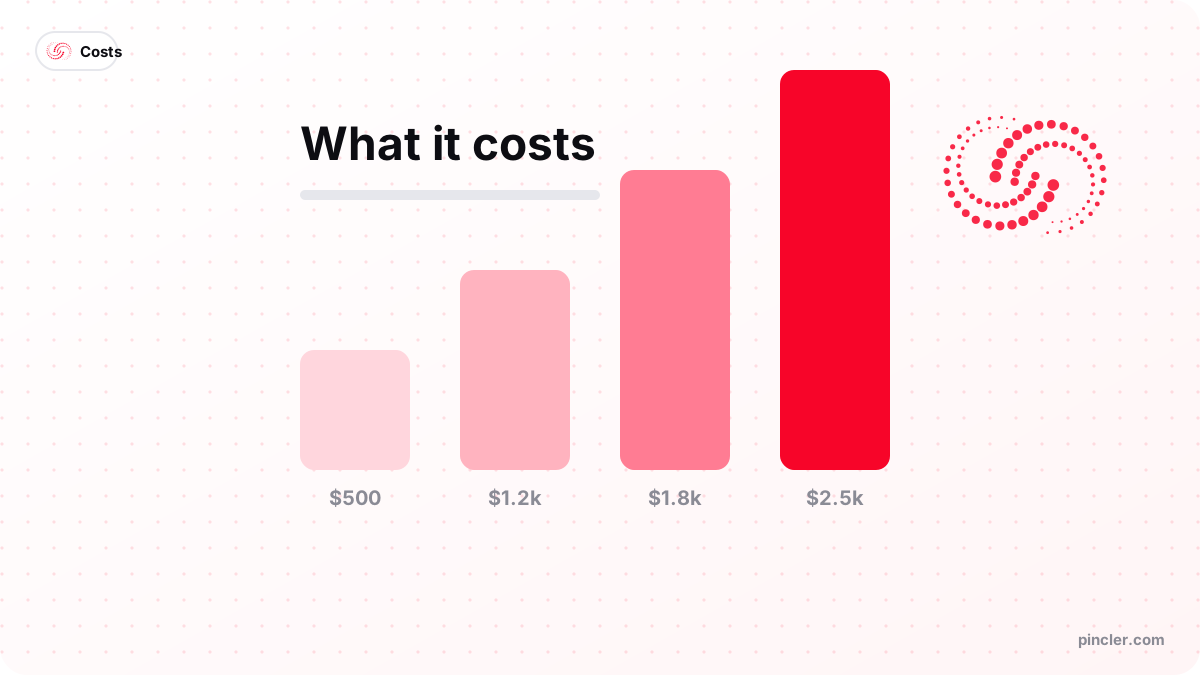
Quick answer
- Agency estimates
- MetaDesign Solutions (30 September 2026) prices a simple extension at $3,000–$10,000 and a SaaS-connected one at $10,000–$35,000.
- PINCLER build
- $700–$1,800 fixed, 6–14 days, because AI drafts the TypeScript and senior engineers review the permissions and security model before store submission.
- Store fees
- Chrome Web Store: a one-time $5 developer fee, charged at sign-up since 2020. Microsoft Edge Add-ons: no registration fee for developers.
- Running cost
- A popup tool can run without a server. A synced extension needs a backend; Supabase's Pro plan starts at $25 a month at the time of writing.
- Best for
- SaaS products and sales, recruiting or research teams who copy data between web pages and their own tools every day.
- Not for
- A feature users would rarely open, or a job an existing extension already does well for a small monthly fee.
A Chrome extension costs $700–$1,800 to build with PINCLER, fixed, in 6–14 days, because AI drafts the TypeScript and senior engineers review the permissions and security model; published agency estimates start at $3,000 for a simple one. Running it can cost almost nothing: Google charges a one-time $5 developer fee, Microsoft charges no registration fee for Edge Add-ons, and you pay for a backend only if the extension saves data to your own product.
Two things make this a live question in 2026. On 31 August 2026 Google removed the last Manifest V2 extensions from the Chrome Web Store, after Chrome 138 had disabled them for every user on 24 July 2025, so any old internal or unlisted extension a team still relies on needs a Manifest V3 rebuild. And price guides set expectations high: MetaDesign Solutions, in a breakdown published on 30 September 2026, puts a simple extension at $3,000–$10,000 and a SaaS-connected one at $10,000–$35,000.
None of this means agency prices are padded. Those ranges cover development alone, and an enterprise extension with single sign-on, admin dashboards and Chrome policy deployment is months of work for anyone. Most businesses need something smaller: an extension is a doorway into a product they already run, not a product of its own, and that narrower job is what fits a fixed price.
Below: agency estimates against fixed-price tiers, the Manifest V2 change, what each tier buys, publishing and running costs with every input shown, store review, account security, a decision tree, and when not to build one at all.
Chrome Extension Development Cost: Agency Estimates vs a Fixed Price
Chrome extension development costs $700–$1,800 as a fixed-price, AI-assisted build delivered in 6–14 days. Published agency estimates start at $3,000 and reach five figures once the extension talks to a SaaS backend.
PINCLER is an AI-first custom software development studio. We build browser extensions, API backends, SaaS MVPs and integrations at fixed prices between $500 and $2,500. On an extension, AI coding tools draft the TypeScript project, messaging and storage; senior engineers review the permission list and security model by hand, and your team pilots the build on the real pages it uses.
Read the agency rows as estimates, not quotes. MetaDesign Solutions calls its ranges directional and says they cover development only, with design, QA and project management usually priced separately; Cadence, which matches founders with engineers, prices by engineer time and lists $300–$1,000 for store submission and first-pass review fixes.
| Route | Price | Timeline |
|---|---|---|
| Agency estimate, simple (MetaDesign) | $3,000–$10,000 | 2–4 weeks |
| Agency estimate, SaaS-connected (MetaDesign) | $10,000–$35,000 | 6–12 weeks |
| Agency estimate, enterprise (MetaDesign) | $35,000–$80,000+ | 12+ weeks |
| Engineer-time estimate, simple (Cadence) | $3,000–$8,000 | 1–3 weeks |
| Fixed-price AI-assisted build | $700–$1,800 | 6–14 days |
What Changed When Google Removed Manifest V2 Extensions?
Manifest V3 is now the only format Chrome runs. The Chrome Web Store stopped accepting new Manifest V2 extensions in 2022, Chrome 138 disabled the old format for every user on 24 July 2025, and on 31 August 2026 Google removed the remaining Manifest V2 extensions from the store. On Chrome 138, only companies using a Chrome admin policy could keep them switched on; Chrome's timeline says Chrome 139 and later do not run them at all, and installed copies get no more updates.
The rewrite is real work, not a version bump. Manifest V3 replaces the always-on background page with a service worker that Chrome stops when idle, so state held in memory must move to storage. It also bans logic fetched from a server: Chrome's security guide says "all of your extension's logic must be part of the extension package".
A migration runs like any other build: a fixed quote, a working preview, then review, as the build process shows. The steps for an old extension:
- Check manifest_version in manifest.json: a 2 means the extension must move.
- Move background-page logic into a service worker and keep state in extension storage.
- Remove scripts loaded from a server, and eval() or new Function() outside sandboxed frames.
- Cut host permissions down to the sites the extension actually needs.
- Update the privacy policy and the store's data-use answers to match the new version.
- Resubmit, and allow days, not hours, for review before staff receive the update.
What Do You Get for $700, $1,200 and $1,800?
Each tier adds to the one below, and all three ship as Manifest V3 TypeScript in your own repository, set up for your own developer account, with privacy policy text, documentation, a handover video and a 30-day bug-fix warranty. Edge and Brave run the same build; Firefox needs small manifest changes, an optional extra once the Chrome version ships.
Price the whole job, not only the part in the browser. The $1,800 tier connects to a backend you already run; if there is none, or it has no API the extension can call, that is a separate build, and so is billing. The table maps each piece to PINCLER's published catalogue, and SaaS MVP development cost covers the product side.
- Popup tool, $700: a popup-only extension with local storage, keyboard shortcuts and auto-update. Good for a lookup, calculator or one-click capture.
- Page-aware build, $1,200: adds content scripts that read or annotate pages, a side panel, context-menu actions and badge notifications. Good for highlighting or pulling data from pages.
- Synced product, $1,800: adds login and secure sync with your backend, encrypted cloud storage, store listing assets and review handling until approval.
| Step | Catalogue build | Advertised band | Quoted days |
|---|---|---|---|
| The extension | Browser extension for Chrome and Edge | $700–$1,800 | 6–14 |
| An API for it to call | REST or GraphQL API backend | $900–$2,200 | 8–18 |
| Charging users | Payment gateway integration | $500–$1,200 | 3–8 |
| A product around it | SaaS MVP with auth and billing | $1,800–$2,500 | 18–28 |
| Collecting data at scale | Web scraper and data pipeline | $500–$1,500 | 4–12 |
What Does It Cost to Publish and Run an Extension?
At the time of writing (October 2026), Google charges a one-time $5 fee to register as a Chrome Web Store developer, collected at sign-up since March 2020, and Microsoft charges no registration fee for Edge Add-ons. Google also requires 2-Step Verification before you publish or update.
A popup tool that keeps data on the user's machine needs no server. A synced extension needs a backend: at the time of writing, Supabase's pricing page lists Pro from $25 a month with 100,000 monthly active users included, or $900 over three years. Its free plan pauses a project after a week of inactivity, so keep that for a pilot.
The store will not take payments for you. 9to5Google reported in September 2020 that Google was shutting down Chrome Web Store payments, with paid extensions losing them on 21 February 2021. A paid extension bills through its own provider and checks each user's plan on your backend, which is a payment gateway integration.
Before maintenance, with every input shown: a popup tool is $700 + $5 = $705. A synced build on a hosted database is $1,800 + $5 + $900 of Supabase Pro = $2,705, before any API work. The bottom of MetaDesign's simple range is $3,000 + $5 = $3,005, for development alone and with no backend.
The table adds MetaDesign's rule of thumb of 15–25% of the build cost a year for maintenance to every column, but a percentage of a lower price can understate the work, so treat those figures as a floor; page-aware extensions also break when sites change their layout. PINCLER's optional care plans start at $99 a month, or your own developer can take over the code.
| Three-year line | Popup tool | Synced build | Agency simple build |
|---|---|---|---|
| Build | $700 | $1,800 | $3,000, development only |
| Chrome developer fee | $5 | $5 | $5 |
| Backend, 36 months of Supabase Pro | None | $900 | Not included |
| Maintenance at 15–25% a year | $315–$525 | $810–$1,350 | $1,350–$2,250 |
| Three-year total | $1,020–$1,230 | $3,515–$4,055 | $4,355–$5,255 |
How Long Does Chrome Web Store Review Take, and What Gets an Extension Rejected?
Chrome's review guide says most reviews finish within a few days, some take a few weeks, and you should contact support if one is pending after three weeks. The page was last updated in December 2021 and says its enforcement details are accurate only as of that date, so treat them as a guide.
Reviews slow down for new developers and new extensions, broad host permissions such as <all_urls>, sensitive permissions such as tabs or downloads, and large or hard-to-read code; obfuscation is not allowed. Chrome's quality guidelines also require a single, narrow purpose. A minor problem found after publishing usually earns a warning and 7–30 days to fix it.
The cheapest way to save review time is to ask for less. The activeTab permission grants temporary access to the current tab only when the user invokes the extension, and shows no warning at install. Before the first upload:
- Turn on 2-Step Verification for the developer account.
- Register with a company email you will always control; Chrome says it cannot be changed later.
- Write the extension's single purpose in one sentence.
- Request activeTab or named sites instead of <all_urls>.
- Ship all code inside the package, unobfuscated.
- Link a privacy policy covering what data you collect, how you use it and who receives it.
- Answer the dashboard's privacy questions to match the policy and the code.
- Give reviewers a test login if features sit behind sign-in.
- Prepare screenshots and listing text that match what the extension does.
- Keep the last good version tagged so you can resubmit it quickly.
How Do You Keep an Extension and Its Publisher Account Safe?
An extension updates itself, which is convenient until the wrong person publishes. Cyberhaven, a security company, told customers that an attacker had compromised the one admin account it used to publish to the Chrome Web Store and pushed a malicious version early on 25 December 2024; it was detected that afternoon, removed, and replaced by a clean version. TechCrunch reported on 27 December, citing the company's email, that the code could send logged-in sessions and cookies to the attacker, and that the store listing showed about 400,000 corporate users. Cyberhaven's own follow-up, reported by BleepingComputer on 31 December 2024, said an email that pretended to be from Google led an employee to give a malicious app access to the account, without any password being stolen.
Auto-update delivers each release to every installed copy, so treat the publisher account and release process like a production server. Whether AI-generated code is safe for production covers code review, taking a vibe-coded app to production covers the backend checks, and monitoring and alerting is a 3–7 day build that tells a person when errors spike after a release.
| Problem | How to check it | The fix |
|---|---|---|
| One admin on the store account | Count who can publish and recover it | Two named admins on company logins |
| 2-Step Verification off | Check each admin's Google account | Turn it on, ideally with security keys |
| Broad host permissions | Search manifest.json for <all_urls> | activeTab or named sites only |
| Remote code | Search for remote script URLs and eval() | Bundle all logic in the package |
| API secrets in the extension | Search the built files for keys | Keep secrets on your server; anyone can unpack an extension |
| Releases nobody reviews | Ask who approved the last upload | A second reviewer for every release |
Do You Need an Extension, a Web App or Both?
Build an extension only when the work happens on someone else's pages. If users come to your product to do the job, a web app is cheaper to change and needs no store review. If the job is collecting data from many pages on a schedule with nobody browsing, that is a web scraper and data pipeline, not an extension. The tree carries no price on purpose.
Many products need both: the extension captures data where people already work, and a web app is where the team uses it. Before asking for quotes, list the pages, actions and data involved; how to write software requirements shows a format a developer can price.
Do users need it while they are on other sites?
  NO  -> build a web page or app, not an extension
  YES -> Does it need to read or change the page?
           NO  -> popup tool
           YES -> Does it save data to your product?
                    NO  -> page-aware build
                    YES -> synced build, plus an API
                           if you do not have one
Who Should Build a Custom Chrome Extension, and When Is an Existing One Enough?
Build one when the same copy-and-paste happens many times a day, or when your product would be used more one click away on the pages customers already visit. As an illustration, not a measured result: five people saving two minutes on each of 30 captures a day get back five hours a day between them.
An existing extension is enough when the job is generic, such as clipping pages, filling forms or saving tabs. If a store extension does it well for a small fee, pay the fee, and do not build one for a feature users would rarely open.
- Good fit: a SaaS product that wants one-click capture or lookups on the pages its customers use.
- Good fit: sales, recruiting or research teams copying the same web data into a CRM or sheet daily.
- Good fit: an internal Manifest V2 tool that no longer updates and must be rebuilt.
- Good fit: a product whose users would keep a side panel open while they work.
- Poor fit: a feature opened once a month, where a bookmark or web page does the job.
- Poor fit: no one to own the backend, fixes and store account after launch.
- Poor fit: enterprise single sign-on or policy deployment from day one; split that into phases.
What Are the Most Common Mistakes When Building a Chrome Extension?
Most extension problems are decided before any code is written, in the permission list, the account setup and the business model, and each has a cheap fix if caught early.
If a contractor builds it, keep the code, the store listing and the developer account in your company's name from day one; who owns your code lists what to put in the contract.
- Asking for every site. <all_urls> slows review, alarms users at install and widens the damage of a breach.
- One admin account. If one person holds the only login, losing it stops every update.
- Loading code from a server. Store policy no longer allows remotely hosted code.
- No privacy policy. Any extension that handles user data needs an accurate one.
- Planning to charge through the store. Bill through your own provider and check plans on your server.
- Ignoring the rules of the sites it reads. Check a site's terms before building a feature that copies its data.
PINCLER's Perspective on Extension Builds
Across the 79 builds in PINCLER's published fixed-price catalogue, the median advertised price is $1,450 and the median quoted delivery 13 days. The browser extension sits in the Integrations category, whose five builds have a median advertised price of $1,200 and a median quoted window of 10 days, and its 6–14 day window puts it among the 33 builds quoted at two weeks or less. The price holds because AI drafts the scaffold, messaging and storage, and senior engineers spend their time on permissions, the security model and testing on real pages.
These are advertised prices and quoted windows for published catalogue builds — a published price list rather than a delivery record. The data is in what you can build, the fixed pricing bands are the ones quoted on a call, and the cost calculator gives a first estimate.
There are limits. An enterprise extension with single sign-on, data-loss-prevention hooks and policy deployment does not fit one fixed price: we split it into phases, each inside the band, or decline it. Whoever builds yours, keep the build and the hosting separate on the quote. What a Telegram Mini App costs runs the same arithmetic for another product that lives inside someone else's software.
The Bottom Line
A custom Chrome extension costs $700–$1,800 as a fixed-price build in 6–14 days, because AI drafts the code and senior engineers review the permissions, security model and store submission. Published agency estimates start at $3,000 for development alone, and publishing adds a one-time $5 on Chrome and nothing on Edge.
Decide on use, not novelty. If people would open it daily on pages you do not control, build it with one purpose and the fewest permissions; if an existing extension or a web page does the job, use that. A free 30-minute call returns a written fixed quote within a working day, and the browser extension build page shows what each tier includes.
Related PINCLER builds
Frequently asked
How much does it cost to build a Chrome extension?
A Chrome extension costs $700–$1,800 to build at PINCLER, fixed, in 6–14 days, because AI drafts the code and senior engineers review the permissions and security model. The $700 tier is a popup tool, $1,200 adds page-reading content scripts and a side panel, and $1,800 adds login and sync with your backend. MetaDesign Solutions (30 September 2026) puts a simple agency build at $3,000–$10,000.
How long does it take to build and publish a Chrome extension?
A Chrome extension is quoted at 6–14 days to build at PINCLER, from scaffold to a pilot on your real pages and store submission. Chrome Web Store review then usually takes a few days, but can stretch to a few weeks for new developers, broad permissions or large code. On Edge Add-ons, Microsoft says verifying a company account can take a few days to a few weeks.
Do I have to rebuild a Manifest V2 extension?
A Manifest V2 extension has to be rebuilt on Manifest V3 to keep working and receiving updates. Chrome 138 disabled Manifest V2 for all users on 24 July 2025, Chrome 139 and later do not run it, and Google removed the rest from the store on 31 August 2026. PINCLER quotes a migration like a new build, from $700, because AI drafts the port and senior engineers review it.
How much does it cost to publish an extension on the Chrome Web Store?
Publishing on the Chrome Web Store costs a one-time $5 developer registration fee, collected at sign-up since 2020, and Microsoft charges no registration fee for Edge Add-ons. Google also requires 2-Step Verification on the developer account. The store no longer handles payments, so a paid extension bills through its own payment provider and checks each user's plan on your server.
Can one extension work in Chrome, Edge and Firefox?
One Manifest V3 extension can run in Chrome, Edge and Brave from the same build. Edge Add-ons is a separate listing with its own developer account, but Microsoft charges no registration fee for it. Firefox needs small changes to the manifest, so treat a Firefox version as an optional extra once the Chrome version ships, and test it there before promising it to customers.
When is a custom Chrome extension not worth building?
A custom Chrome extension is not worth building when people would rarely open it, when an existing store extension already does the job well, or when a plain web page would do. It also needs an owner after launch: Chrome releases a new version about once a month, MetaDesign Solutions points out, and websites change their layouts, so decide who fixes it before you pay for the build.
Sources
- Chrome for Developers — Manifest V2 support timeline (2026) (opens in a new tab)
- Chrome for Developers — Improve extension security (Manifest V3) (opens in a new tab)
- Chrome for Developers — Migrate to a service worker (opens in a new tab)
- Chrome for Developers — Chrome Web Store review process (opens in a new tab)
- Chrome for Developers — Quality guidelines FAQ (single purpose) (opens in a new tab)
- Chrome for Developers — The activeTab permission (opens in a new tab)
- Chrome for Developers — Register your developer account (opens in a new tab)
- Chrome for Developers — 2-Step Verification policy (opens in a new tab)
- Chrome for Developers — Chrome Web Store privacy policy requirement (opens in a new tab)
- 9to5Google — Chrome Web Store requiring up-front registration fee (March 2020) (opens in a new tab)
- 9to5Google — Google is pulling the plug on paid Chrome extensions (September 2020) (opens in a new tab)
- Microsoft Learn — Register as a Microsoft Edge extension developer (2026) (opens in a new tab)
- TechCrunch — Cyberhaven's Chrome extension hijacked (December 2024) (opens in a new tab)
- BleepingComputer — How hackers hijacked 35 Chrome extensions (December 2024) (opens in a new tab)
- MetaDesign Solutions — Custom Chrome extension cost in 2026 (September 2026) (opens in a new tab)
- Cadence — How much does it cost to build a Chrome extension (May 2026) (opens in a new tab)
- Supabase — Pricing (October 2026) (opens in a new tab)
Want to build this?
PINCLER builds custom software, AI agents and GTM systems for a fixed price between $500 and $2,500, delivered in 3–30 days, with the code owned by you.
Keep reading
Related articles
SaaS MVP Development Cost: What You Get at Each Budget
SaaS MVP development cost: $1,800–$2,500 fixed buys auth, Stripe billing and a dashboard — AI drafts, senior engineers test. What to cut from version one.

How Much Does a Telegram Mini App Cost to Build?
Telegram Mini App development cost: $800–$2,500 fixed, AI-drafted and senior-reviewed, vs agency guides of $10,000–$80,000. What it buys and what it does not.
Is AI-Generated Code Safe to Put in Production?
Is AI generated code safe for production? Yes — with senior review, tests and scanning. What actually goes wrong, and the process that catches it before launch.